Founder HQ
A private operating system for MatchMate. Built to run the business side of the company: finances and subscriptions, founder settlements, planning, calendar coordination and operations.
- Problem
- Money, subscriptions, founder settlements and deadlines spread across spreadsheets and reminders.
- My role
- Designed and built it, from the data model to the phone layout.
- Approach
- One private, installable web app on its own backend, which sends the important dates to phones and calendars.
- Deliverables
- A 13-section web app, Google and Apple Calendar sync, iPhone notifications and scheduled background jobs.
- Outcome
- Runs MatchMate's finances and calendars. Every integration tested end to end on a real iPhone.
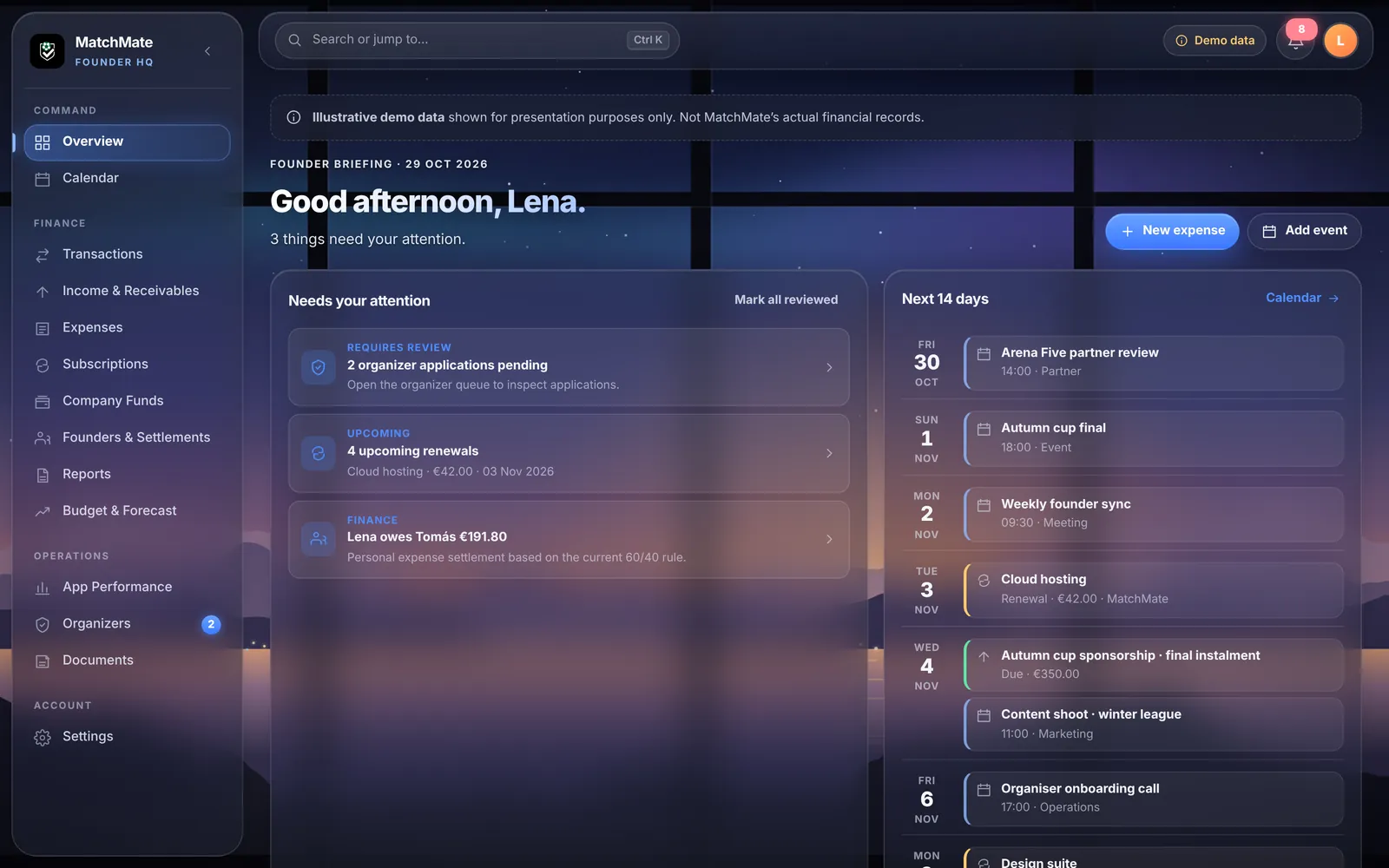
Demo dataIllustrative demo data shown for presentation purposes only. Not MatchMate's actual financial records.
The startup needed a back office, not more spreadsheets.
Money in, money out, subscriptions, who owes whom between founders, and what's due this week. Spread across spreadsheets and reminders, it's easy to miss something.
HQ puts it in one private place, and pushes the important dates to where we already look: our phones and our calendars.
For your business: most small companies run on spreadsheets and memory. A tool like this, sized to what you actually track, gives everyone one place to check instead.
One of three MatchMate products. Two are public, and HQ is the private one behind them.
Find games, meet players, play football.
The public home of the app, in English and Portuguese.
The business side: money, plans, calendars and operations.
One private place for the business.
Each area answers a question the founders ask every week. Desktop and iPhone share one Glass design: frosted panels over a landscape that changes with the time of day.
- 01Financial tracking
Revenue, paid expenses, company cash and a cash-basis result.
- 02Expenses and subscriptions
Every cost with its payer and category, and every renewal before it is due.
- 03Founder settlements
Who paid what personally, and who owes whom under the agreed split.
- 04Planning and forecasting
Monthly budgets, burn, runway and NPV and IRR models.
- 05Calendar and scheduling
Meetings, renewals and deadlines in one calendar, synced to phones.
- 06Operations
Organiser applications, app metrics and private company documents.
- 07Notifications and integrations
iPhone notifications, Google Calendar sync and a private Apple Calendar feed.
- 08Private founder access
Only approved founders can sign in, and the server checks every request.
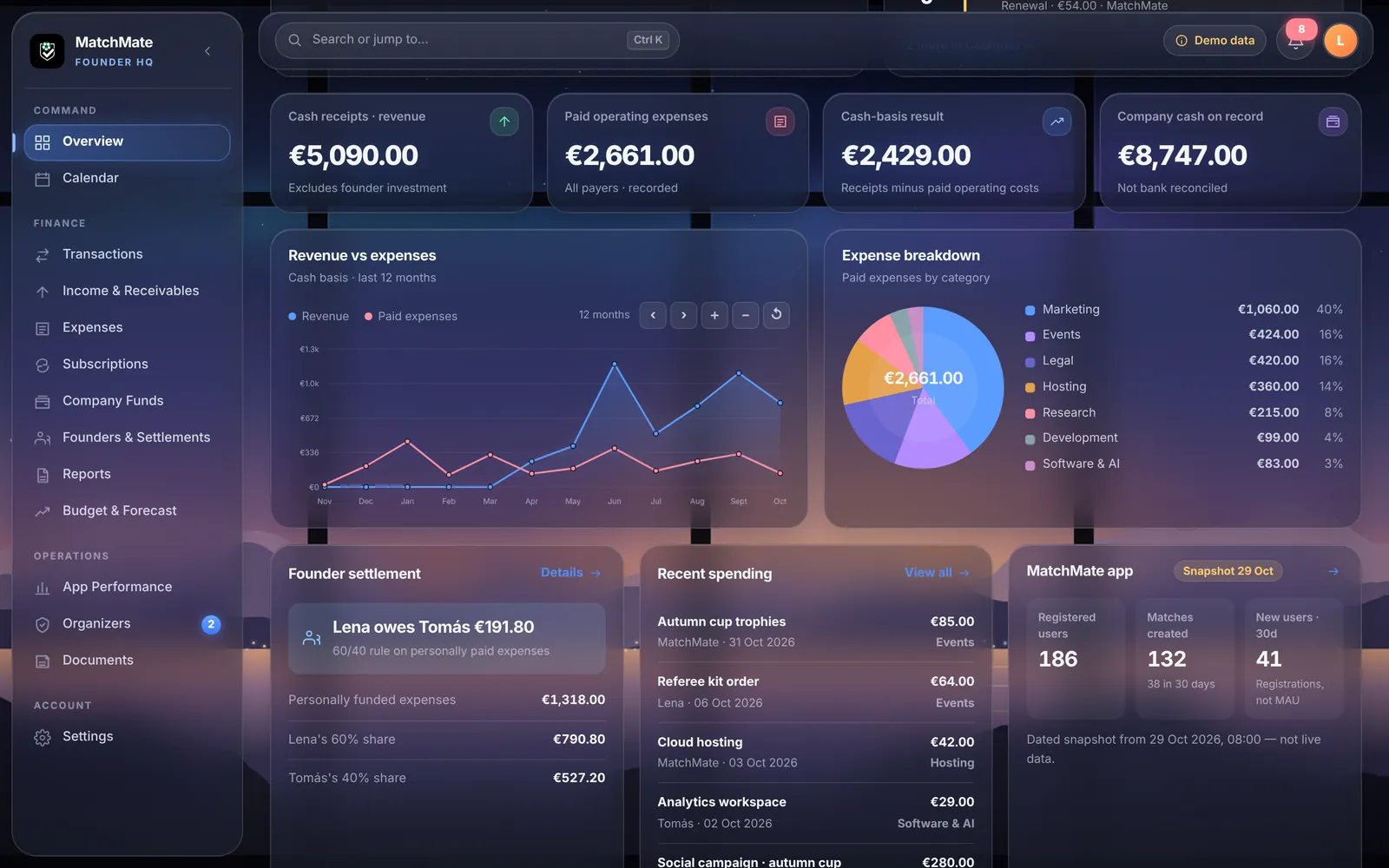
The daily briefing: cash position, revenue against expenses, where the money goes, settlements and app metrics.
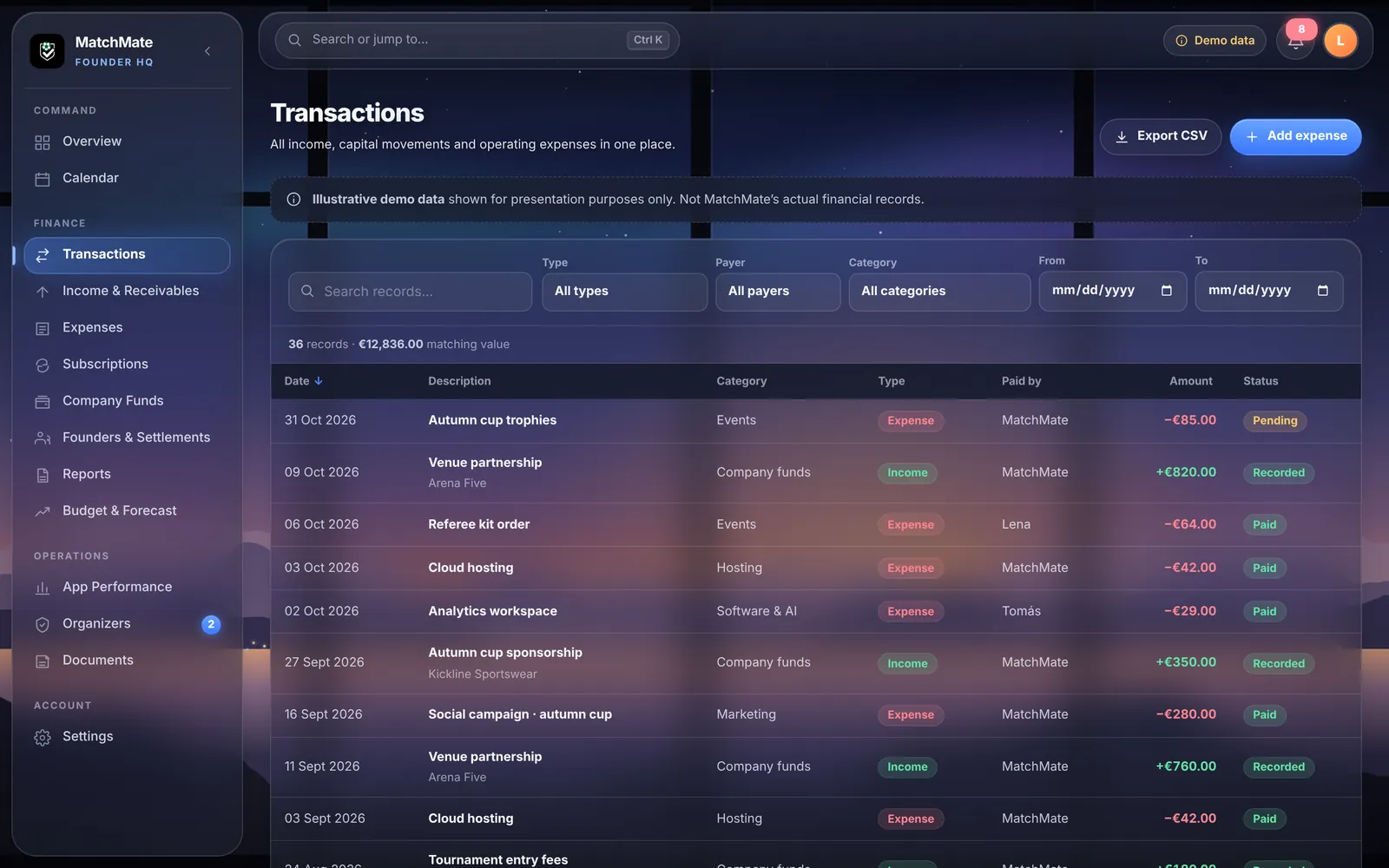
Every money movement in one filterable list, exportable as CSV.
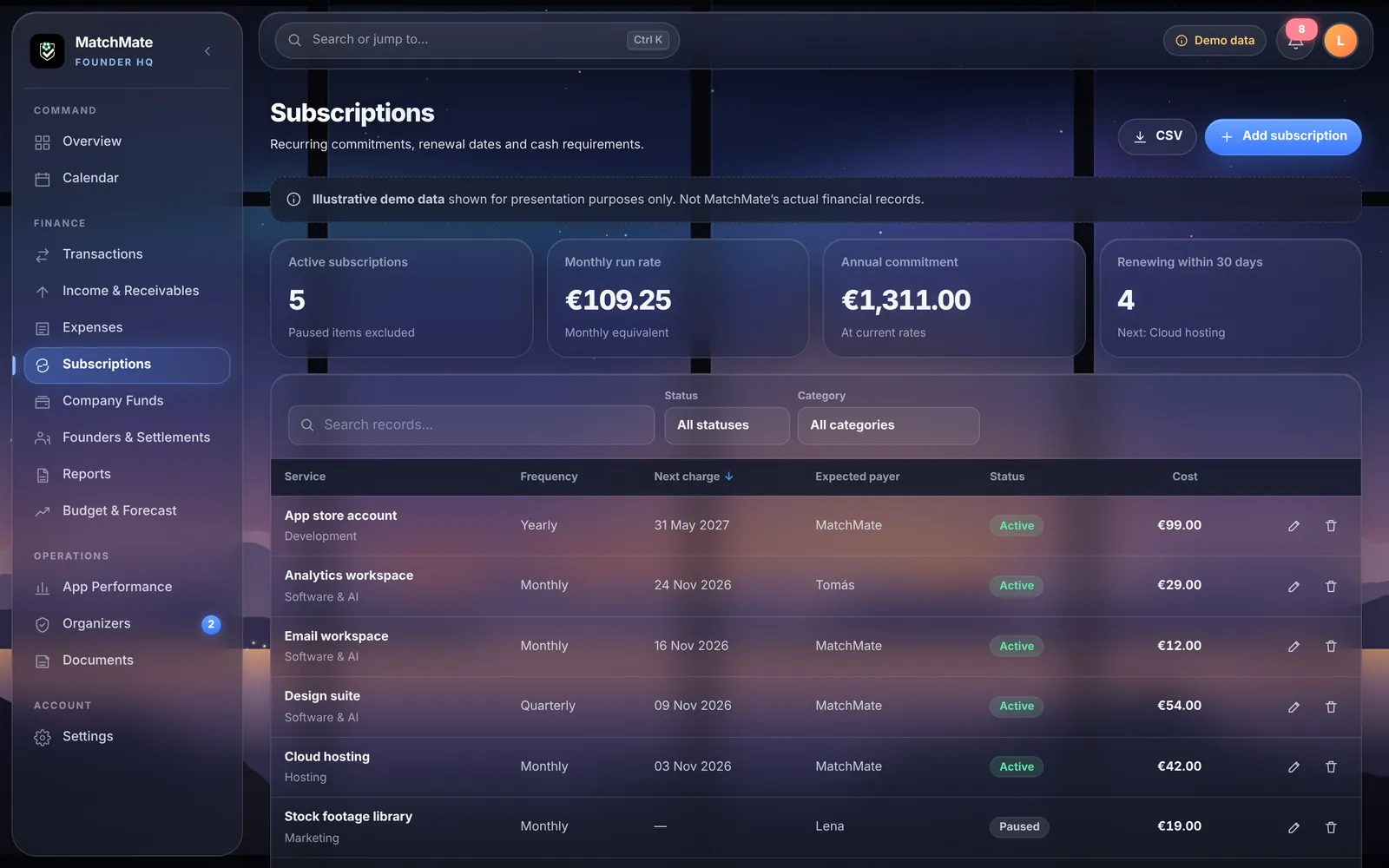
Running costs, yearly commitments and the next renewals.
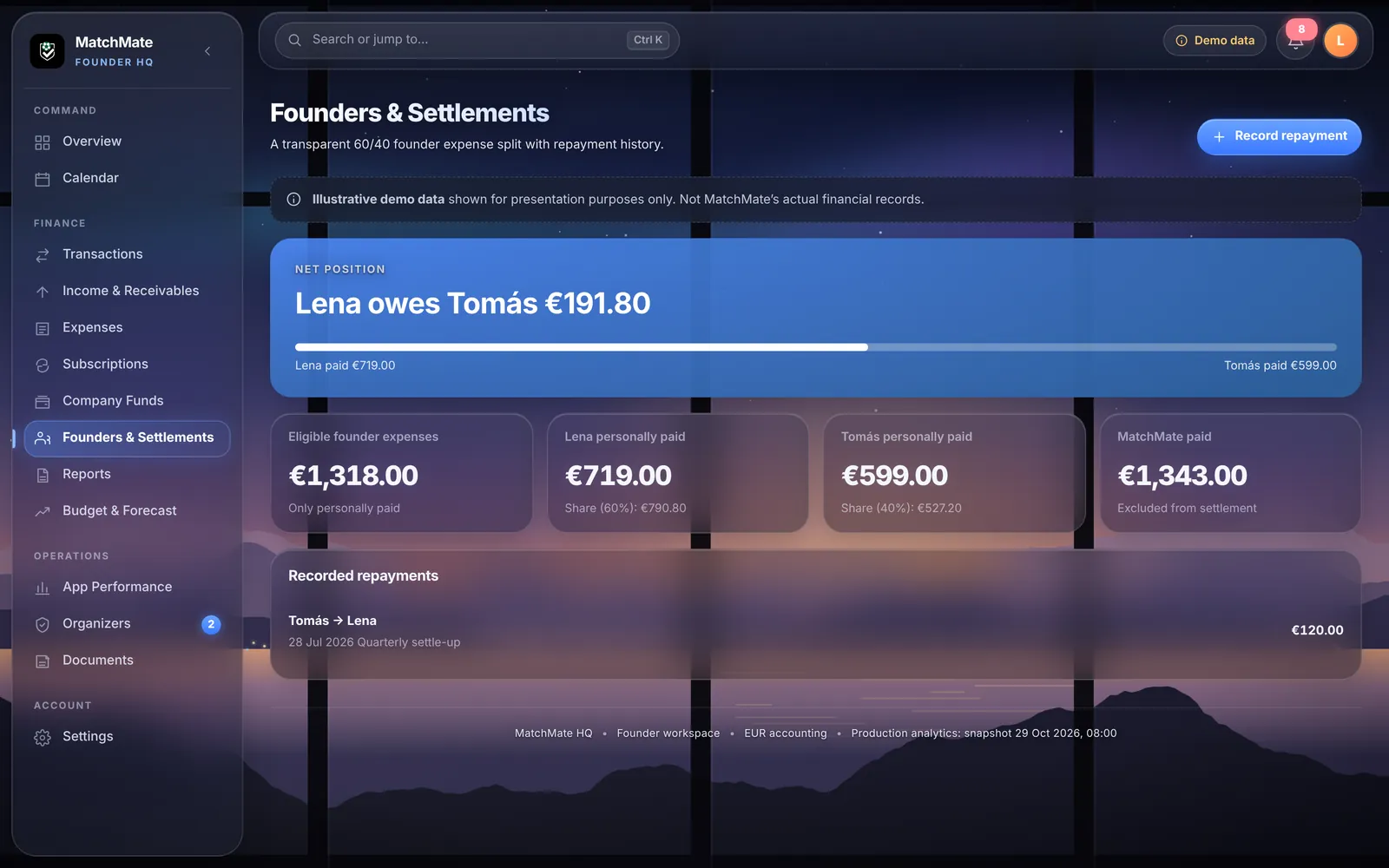
The split between founders, and repayments when they settle up.
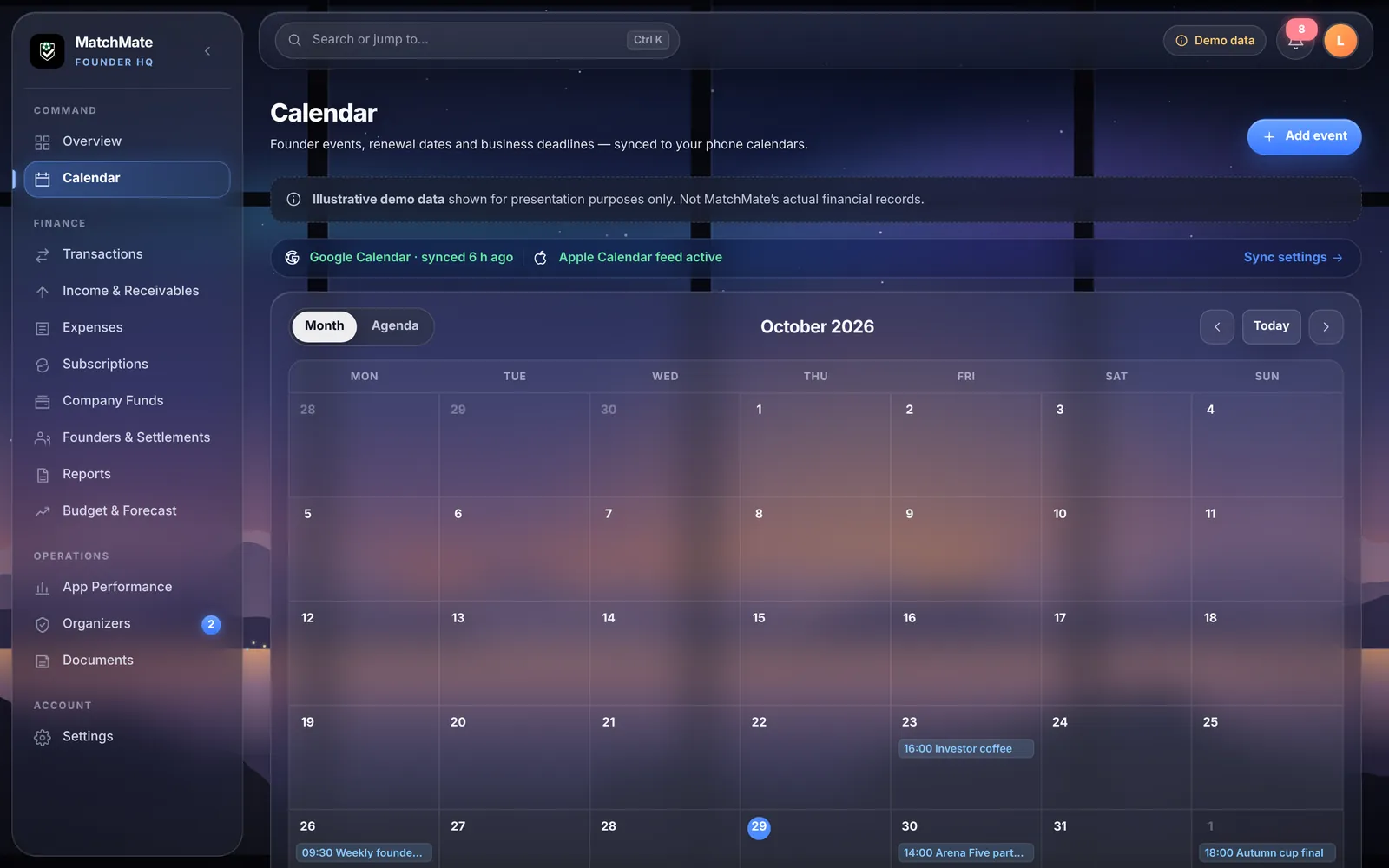
Events, renewals and deadlines, synced to Google and Apple Calendar.
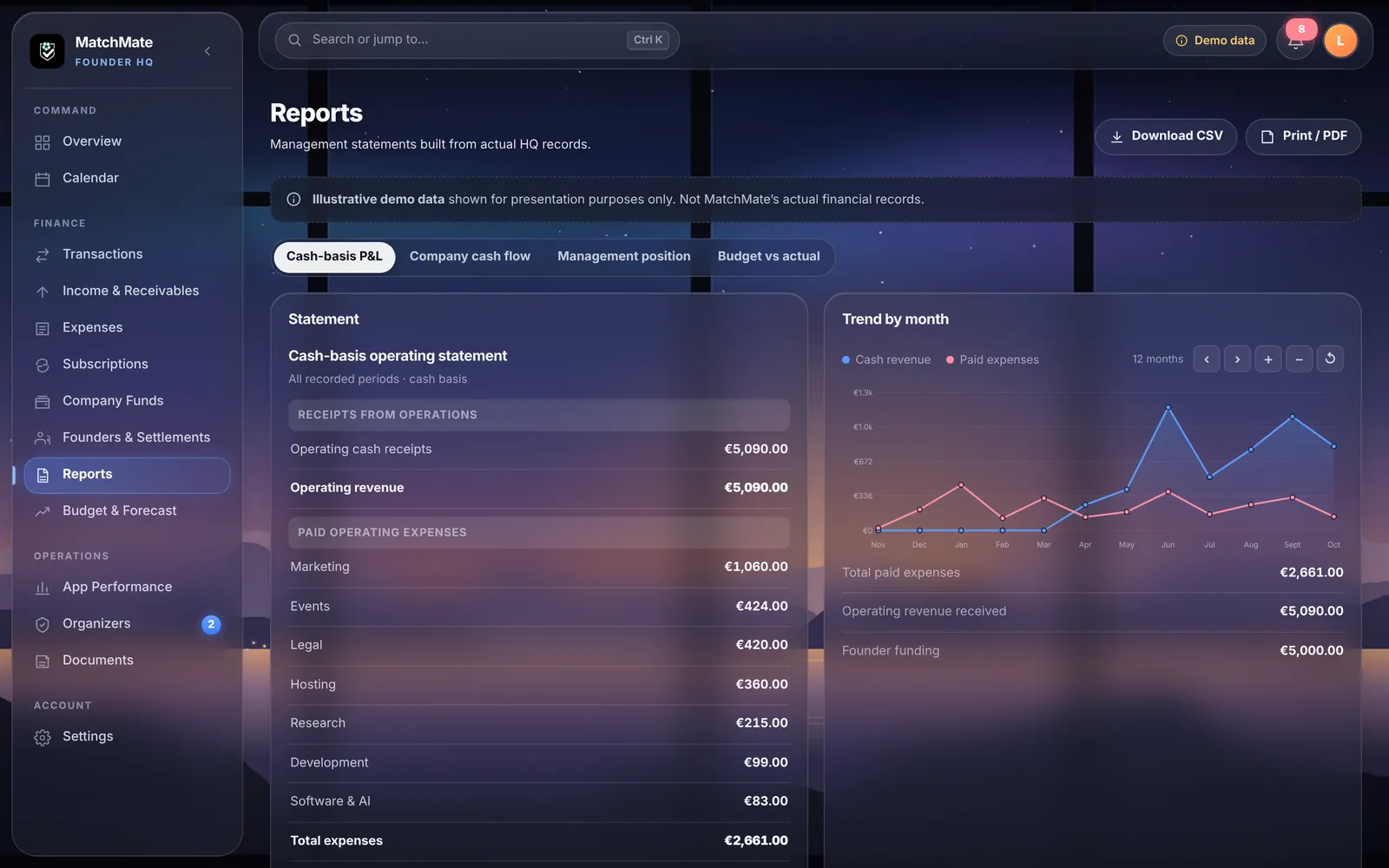
Cash-basis statements and monthly trends, ready to export.
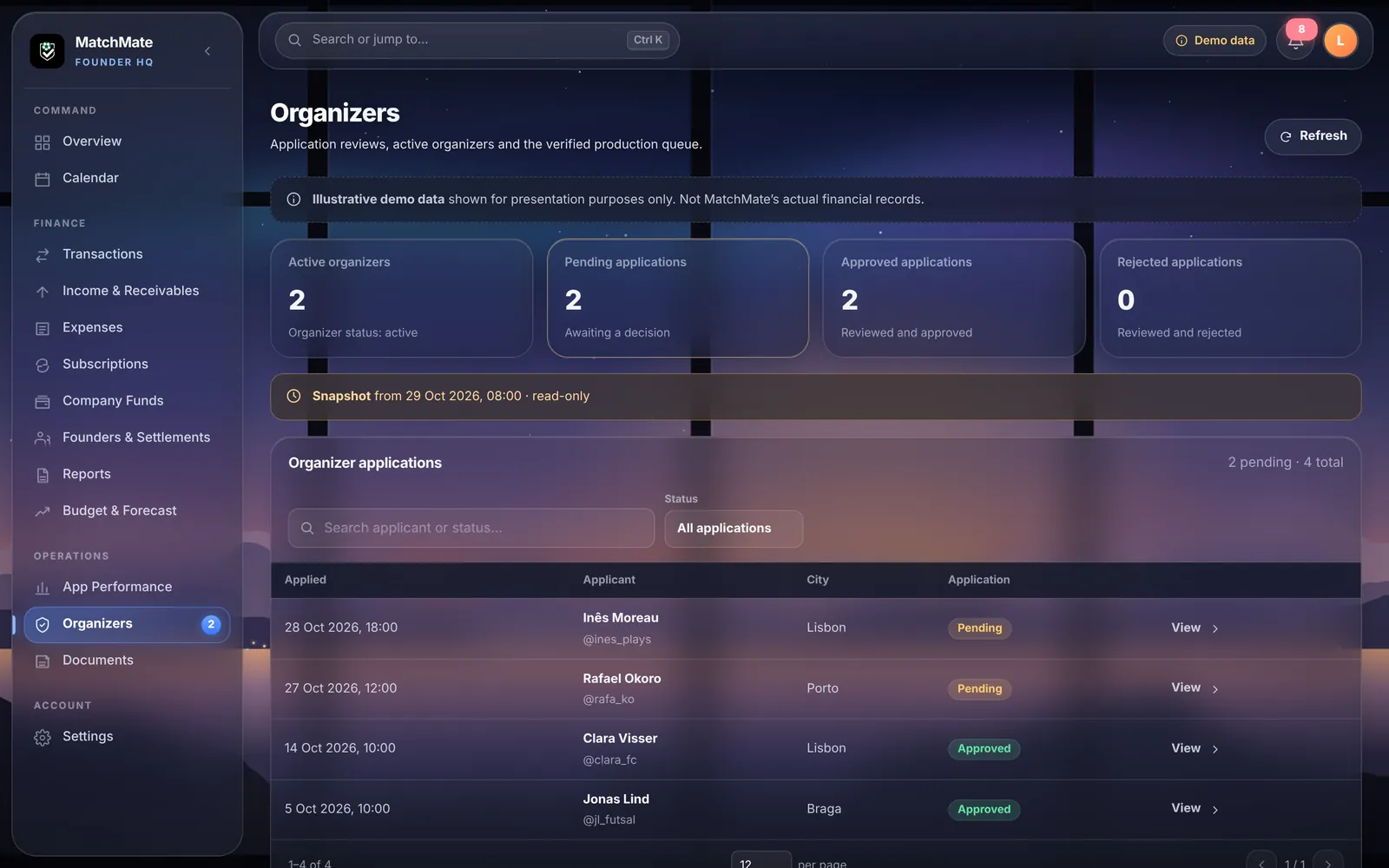
Applications from people who want to run games in the app.
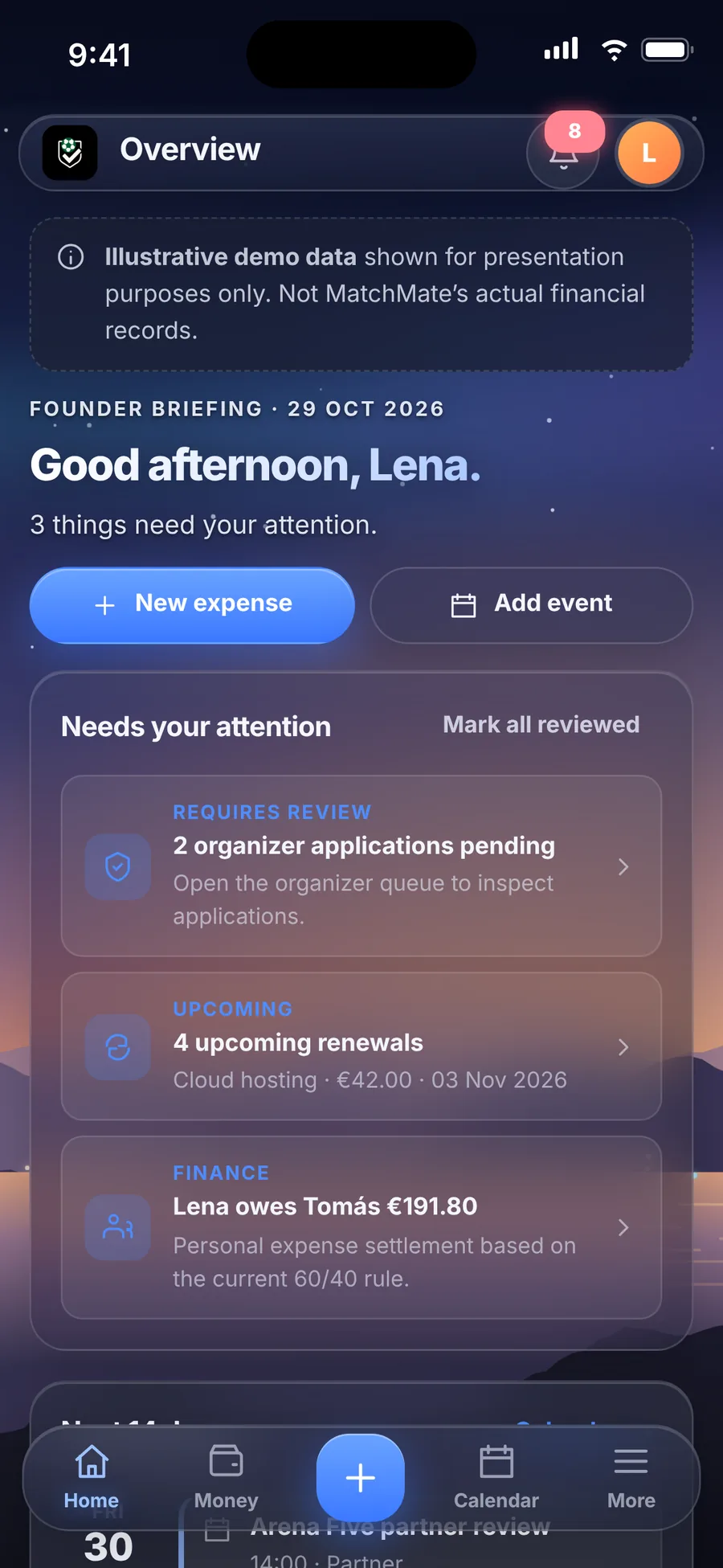
Installed like an app, built for one hand.
Added to the Home Screen, HQ opens full screen, with a floating tab bar, bottom sheets for quick entry and a layout made for the phone. Same data and same design as on desktop.
Today's briefing, starting with what needs attention.
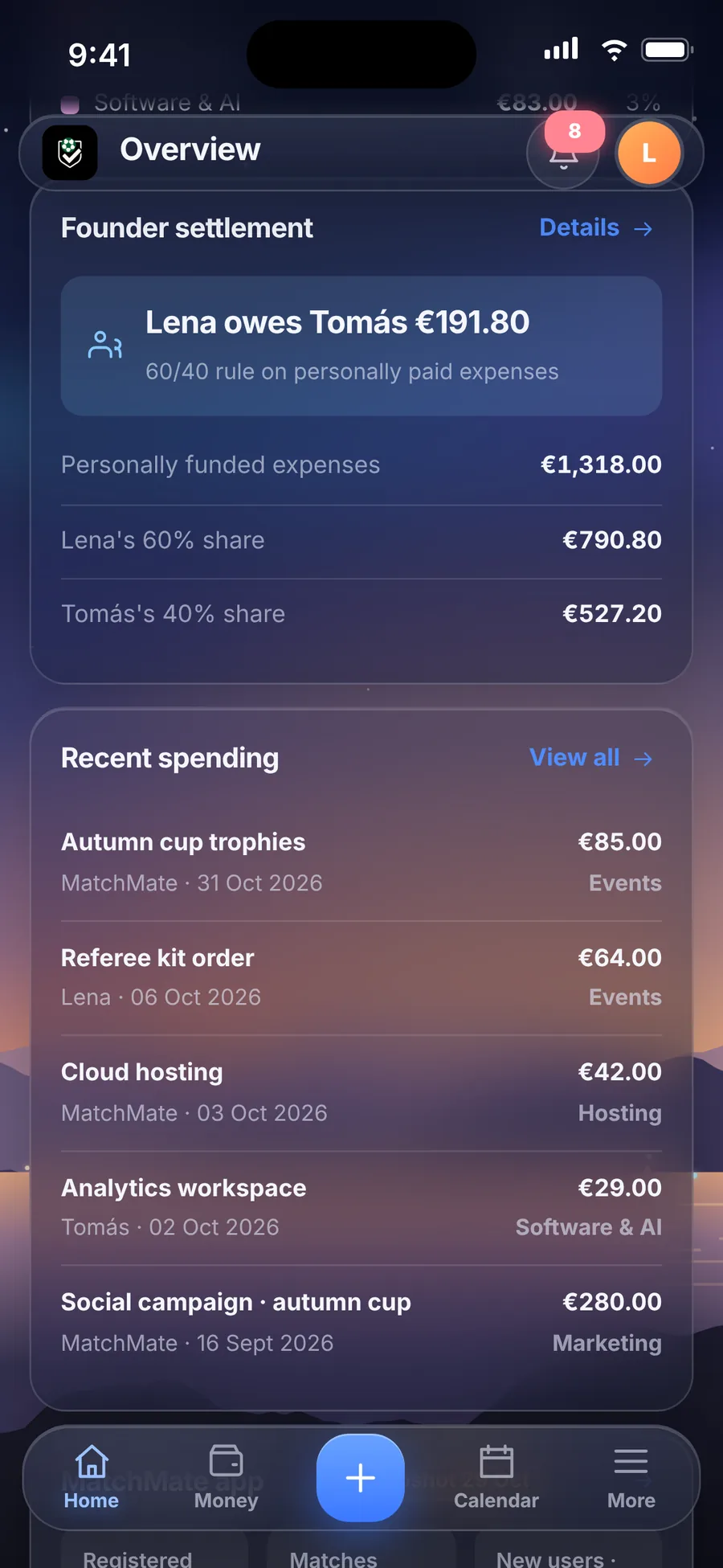
The founder balance and the latest costs.
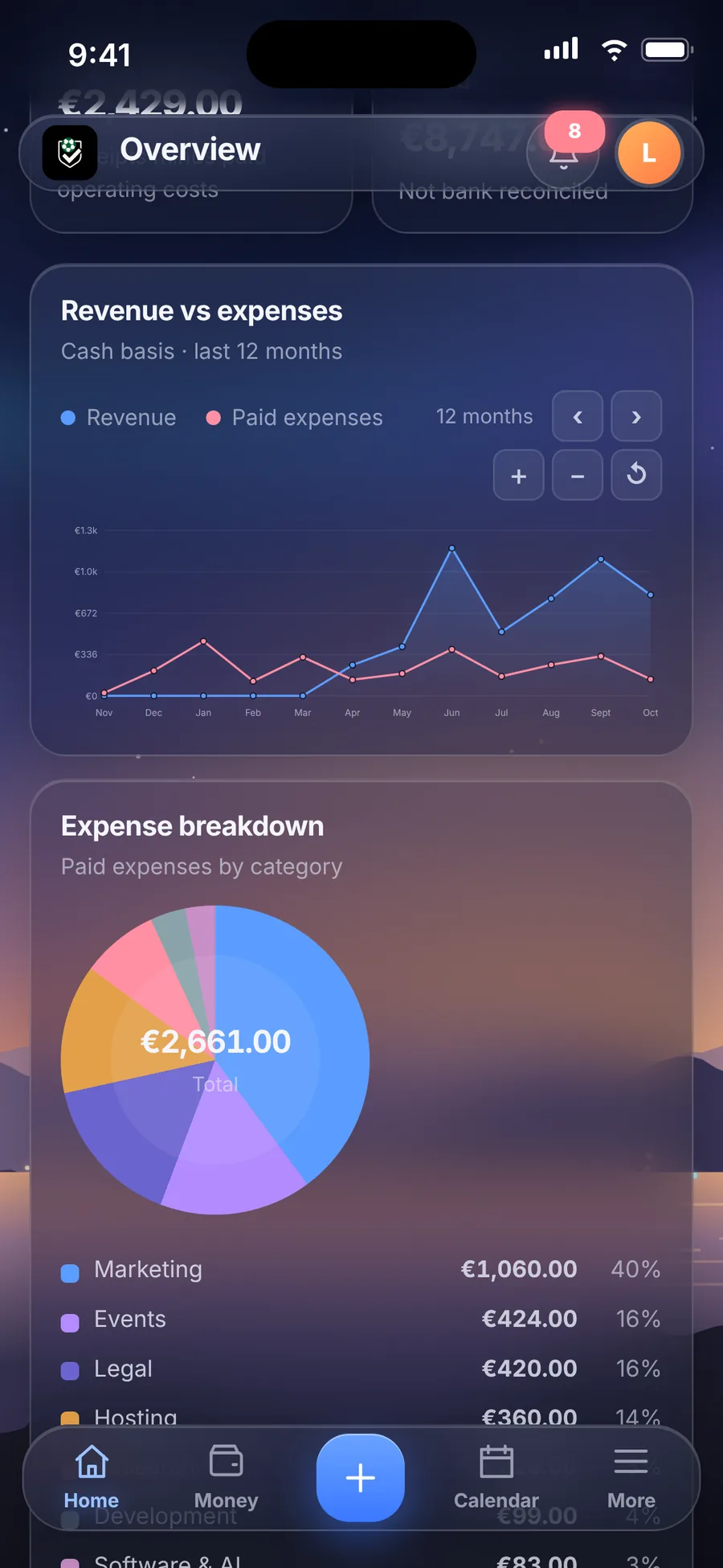
Twelve months of cash, readable at phone size.
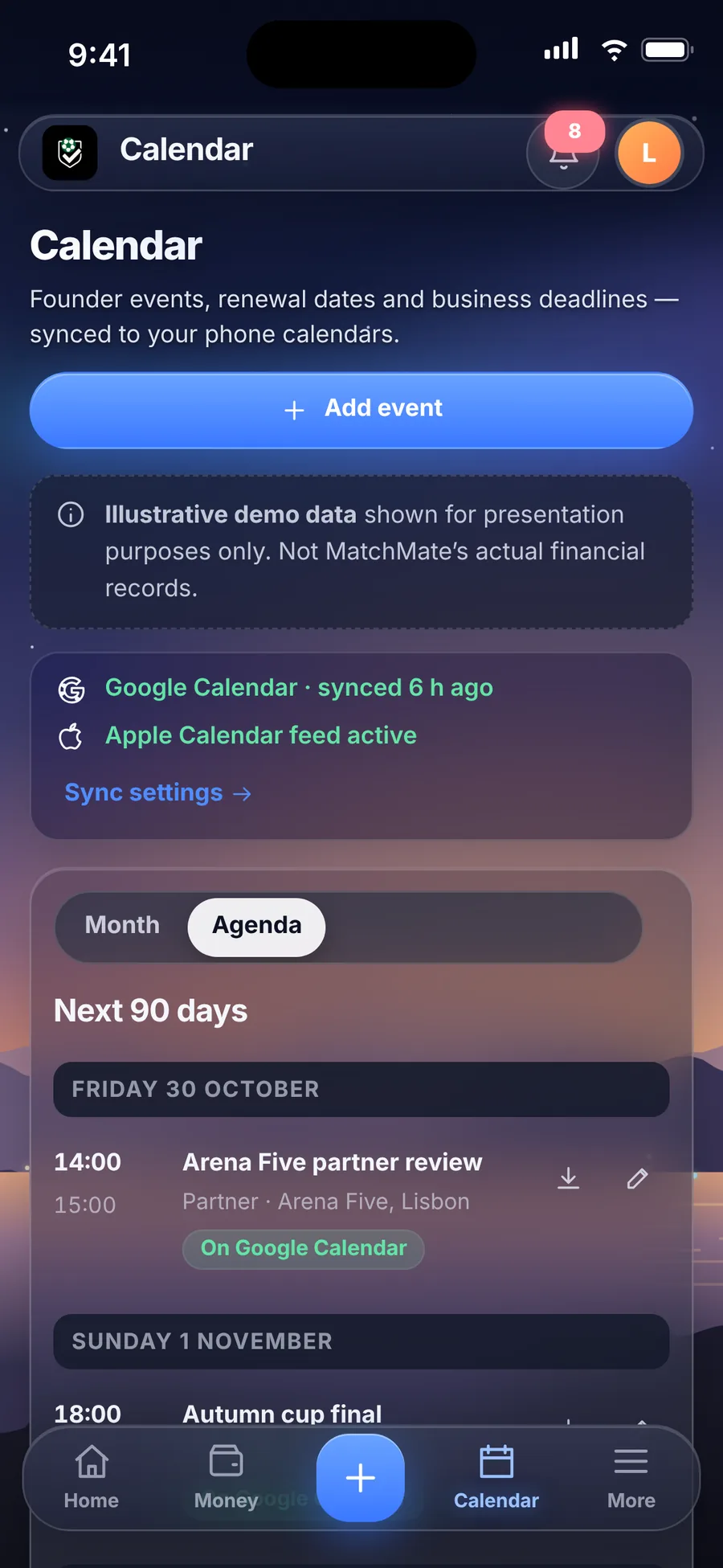
The agenda, with each event's sync status.
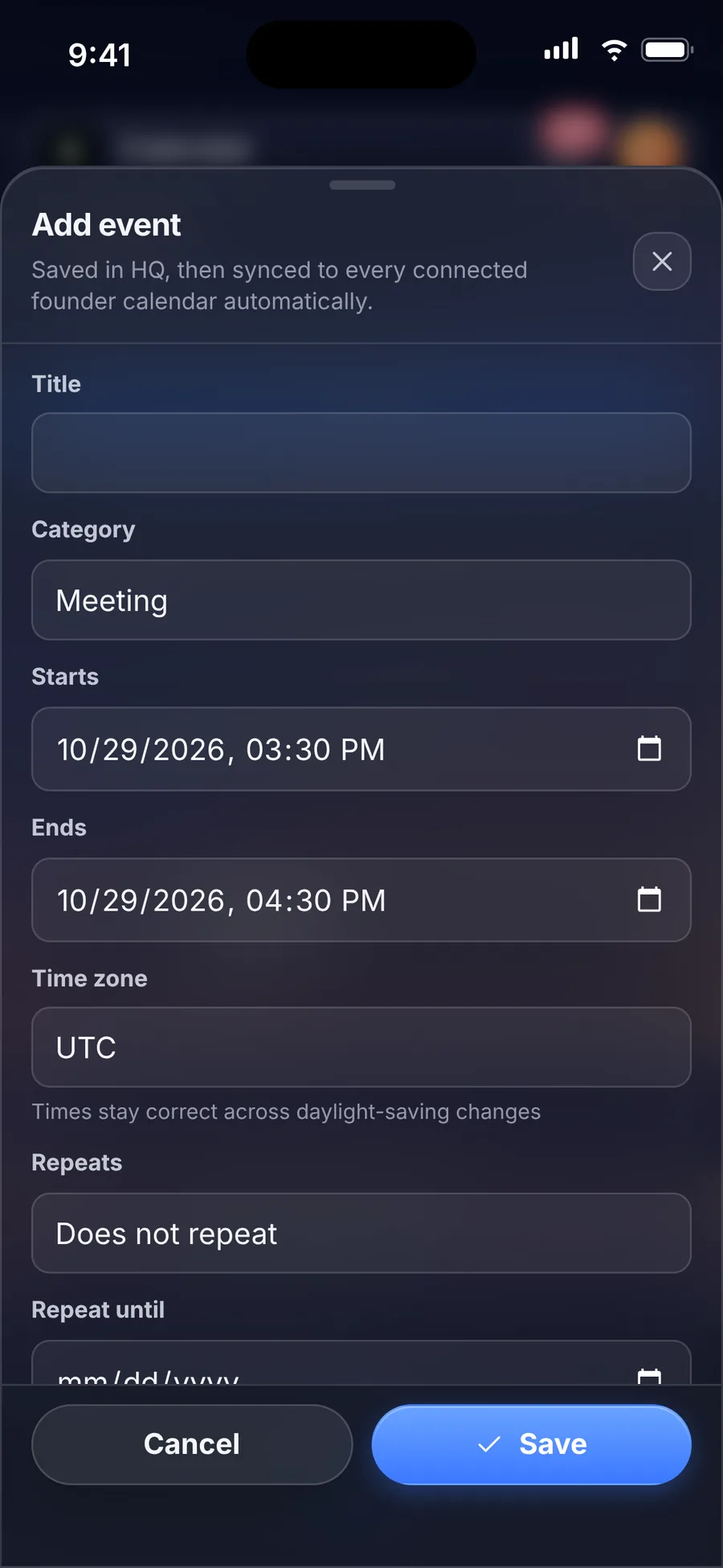
Bottom sheets keep forms short and close at hand.
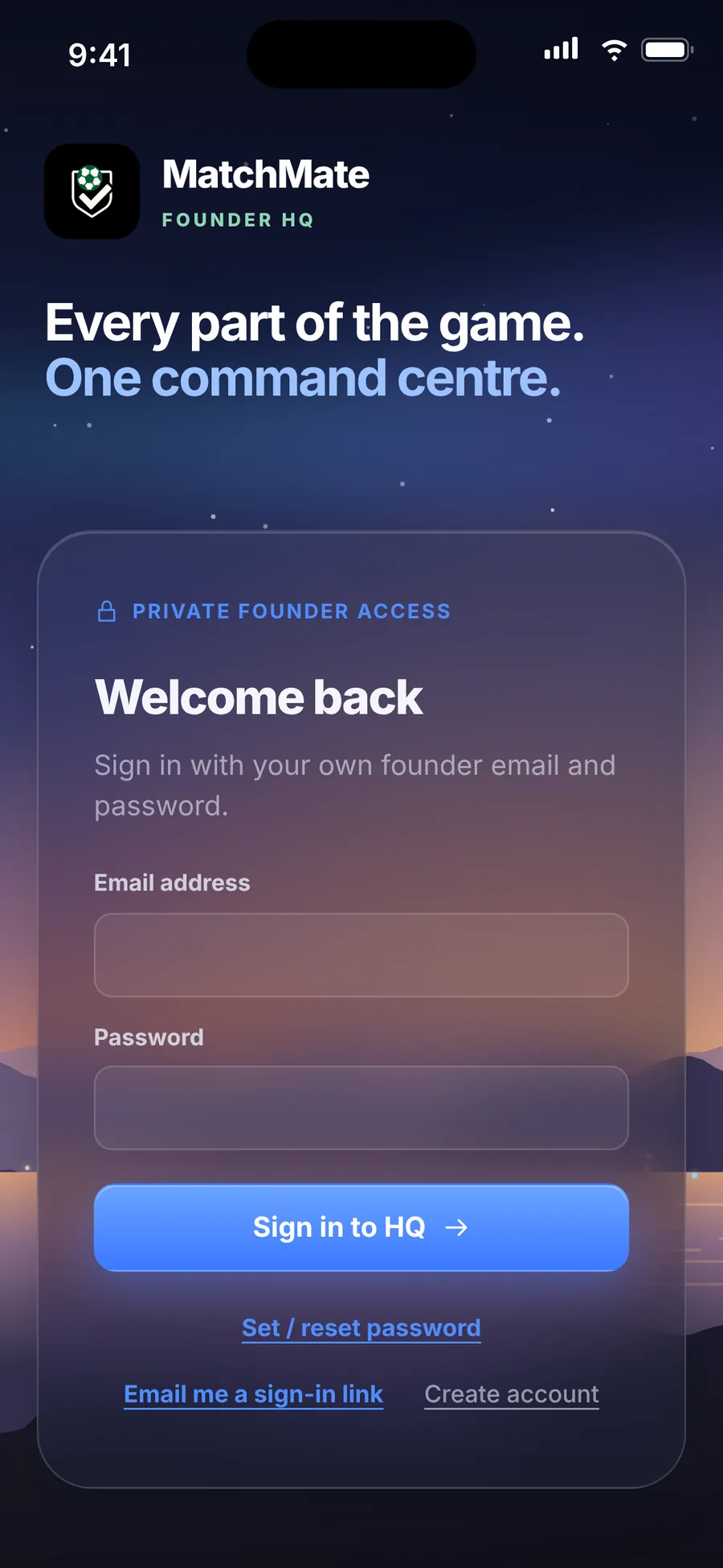
Only approved founder accounts get in.
Demo dataIllustrative demo data shown for presentation purposes only. Not MatchMate's actual financial records.
Dates and alerts go where people already look.
Automatic sync
HQ connects through Google sign-in, creates its own calendar, and keeps events in step. Keys stay on the server; the browser never sees them.
Create, edit and delete tested end to endPrivate subscription feed
A private link adds HQ's events to an iPhone calendar, read-only. The link can be replaced at any time if it's ever shared by mistake.
Test event delivered to Apple CalendarWeb Push on iPhone
Installed on the Home Screen, HQ sends reminders as real phone notifications, with no app store involved.
Delivery tested on a physical iPhonePrivate by design, and it keeps working on its own.
HQ has its own database and logins, completely separate from the consumer app, so nothing can leak between them. Background jobs send reminders and keep calendars in sync even when nobody has it open. New features are added without touching existing financial records.
Technical notes: architecture and scheduled jobs
Three products, two backends
The consumer app and HQ each have their own database, accounts and credentials. A change made for one can't reach the other. The public website is static and has no database at all.
Scheduled jobs
Scheduled jobs run inside the database and call server functions on a timer. Each one is logged, so a quiet day can be told apart from a broken job.
| Job | Runs | What it does |
|---|---|---|
| Push delivery | every 1 min | Sends any notifications that are due. |
| Calendar sync | every 2 min | Pushes new, changed and deleted events to Google Calendar. |
| Reminder scan | every 5 min | Looks for upcoming dates that need a reminder. |
| Maintenance | daily | Housekeeping that keeps the data tidy. |
Releases go to a staging copy first, are checked on desktop and on an iPhone, and only then are packaged for production. New features are added with controlled database migrations so existing financial records stay intact.