MatchMate
From a browser prototype to an app in App Store review, with a brand, a website and a back office built around it.
- Problem
- Casual football is organised in chaotic group chats.
- My role
- Co-founder. Product direction, brand, design, build and content.
- Approach
- Cut the scope to one sport, test it as a browser prototype, then rebuild it on a real backend with security reviews.
- Deliverables
- iOS & Android app, design system, website, Instagram content and Founder HQ.
- Outcome
- App resubmitted to Apple on 21 Oct 2026. Website live. 200K+ Reel views before launch.
Organising a game shouldn't be harder than playing it.
Casual football runs on group chats. Someone posts a time, people reply in different threads, a few drop out the night before, and nobody is sure who's actually coming or where the pitch is.
MatchMate puts the whole match in one place: find a game near you, join it, see who else is in, and let the organiser manage the list without chasing people.
The most useful work was deciding what to leave out.
The first plans were wide: every sport, bookings, payments, a social feed. Getting to a version people could actually use meant cutting, on purpose.
Football first
The design system was written for six sports. V1 launches with one, so every screen can be built and tested properly.
No payments in the app
Taking money inside the app adds regulation, store rules and risk. Players settle up outside the app, the way they already do.
Ask for less data
Apple questioned why sign-up asked for date of birth and city. Neither was needed to play, so both were removed.
Urban sport culture, with the polish of a premium product.
The brand direction mixes two moods: Urban Premium for structure and calm, and Street Editorial for personality. Dark mode is the default; light mode is the alternative. I wrote it down as a design system so every screen, post and page could follow the same rules.

Dark mode default · green for action · warm orange for social moments
Background#0B0F0C
Surface#1E2B22
Accent#66D17A
Warm#FF6A2A
Bold and expressive, but not messy. Premium and structured, but not boring.
Generic startup templates, flashy gaming UI, official club logos without a licence.
One green primary action per screen. Warm orange only for social highlights.
Fast, smooth, controlled. Strong only on the moments that matter.
Built around the life of one match.
Instead of a list of features, the app follows what actually happens: someone finds a game, the organiser fills it, the group plays, and everyone feels safe doing it with people they may not know yet.
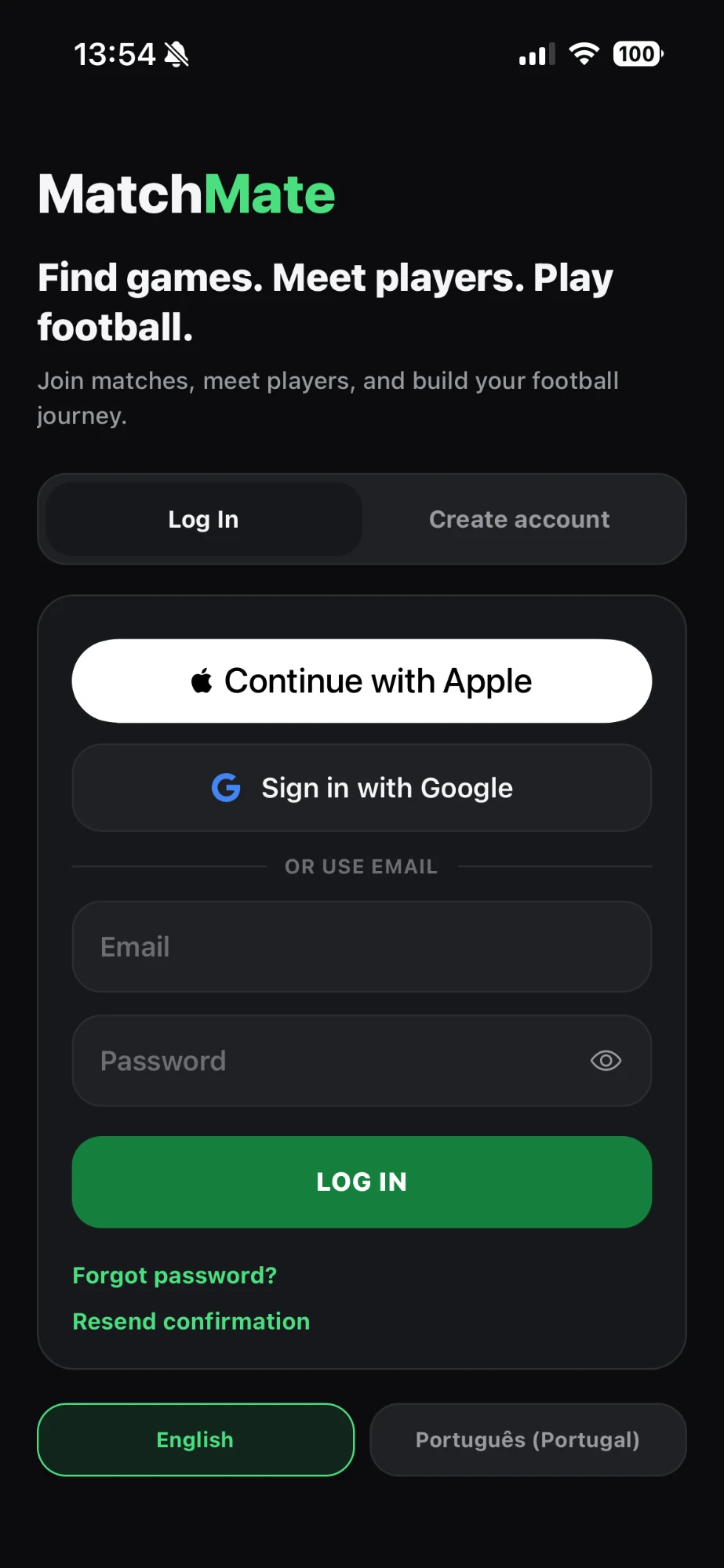
Apple, Google or email. The language switch is on the very first screen.
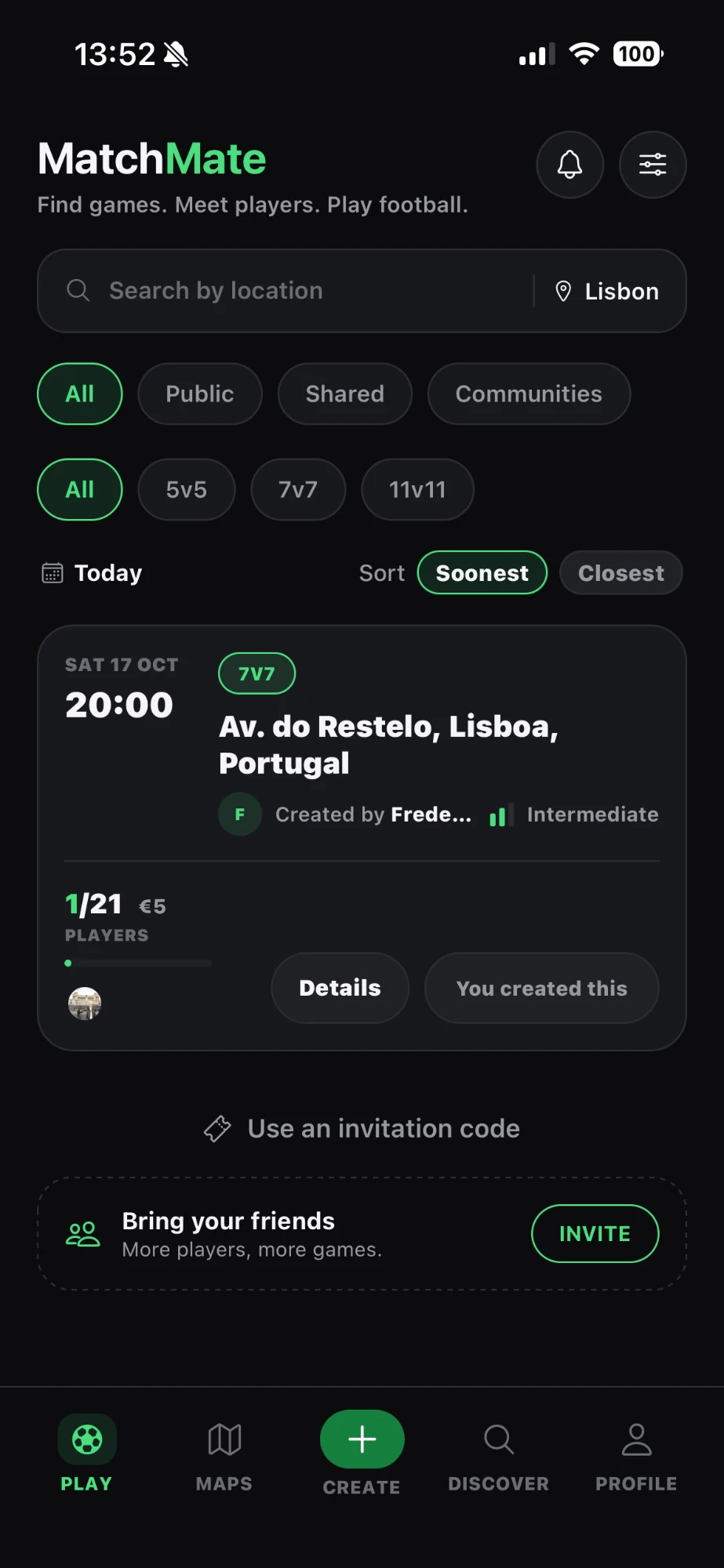
Matches nearby, filtered by visibility and format, sorted by soonest or closest.
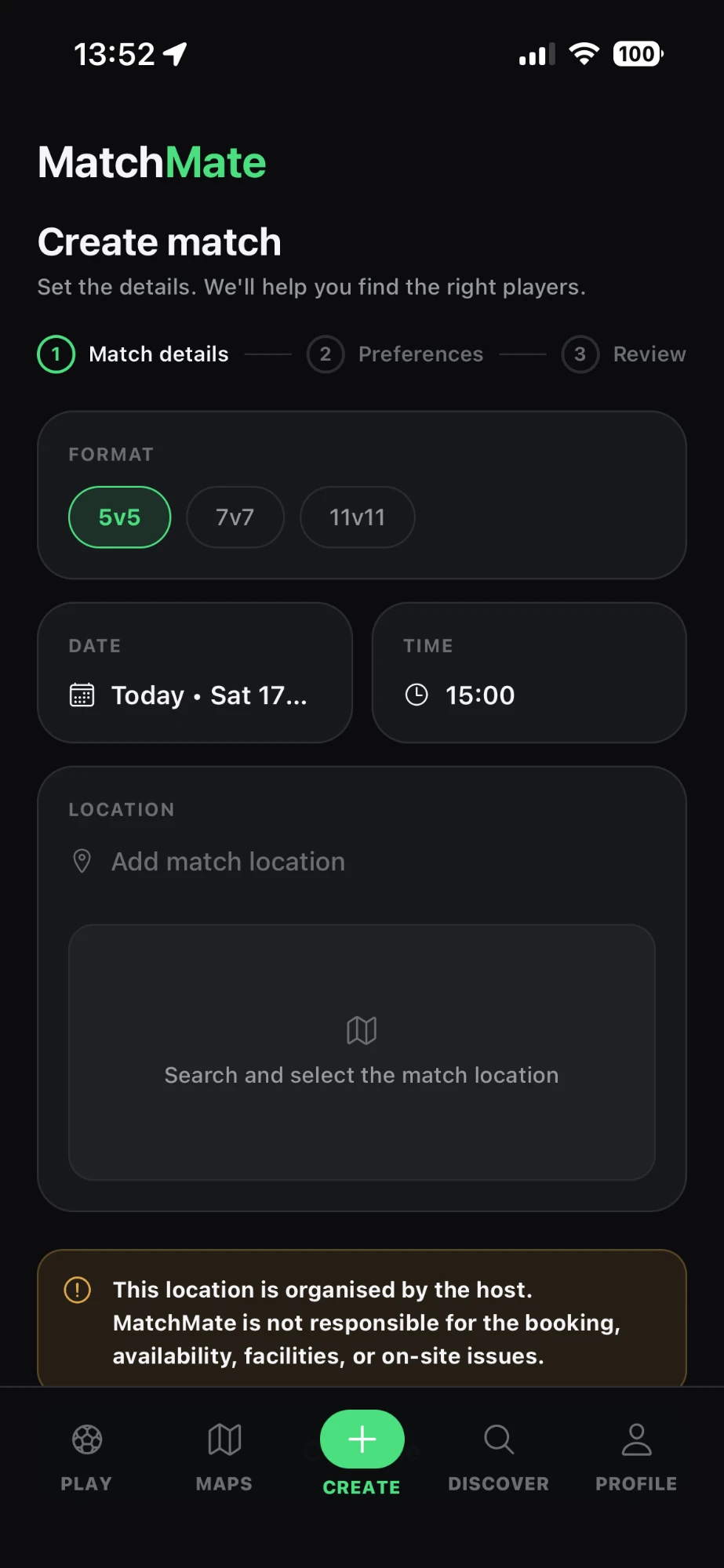
Three steps. The host is told up front that the venue is their responsibility.
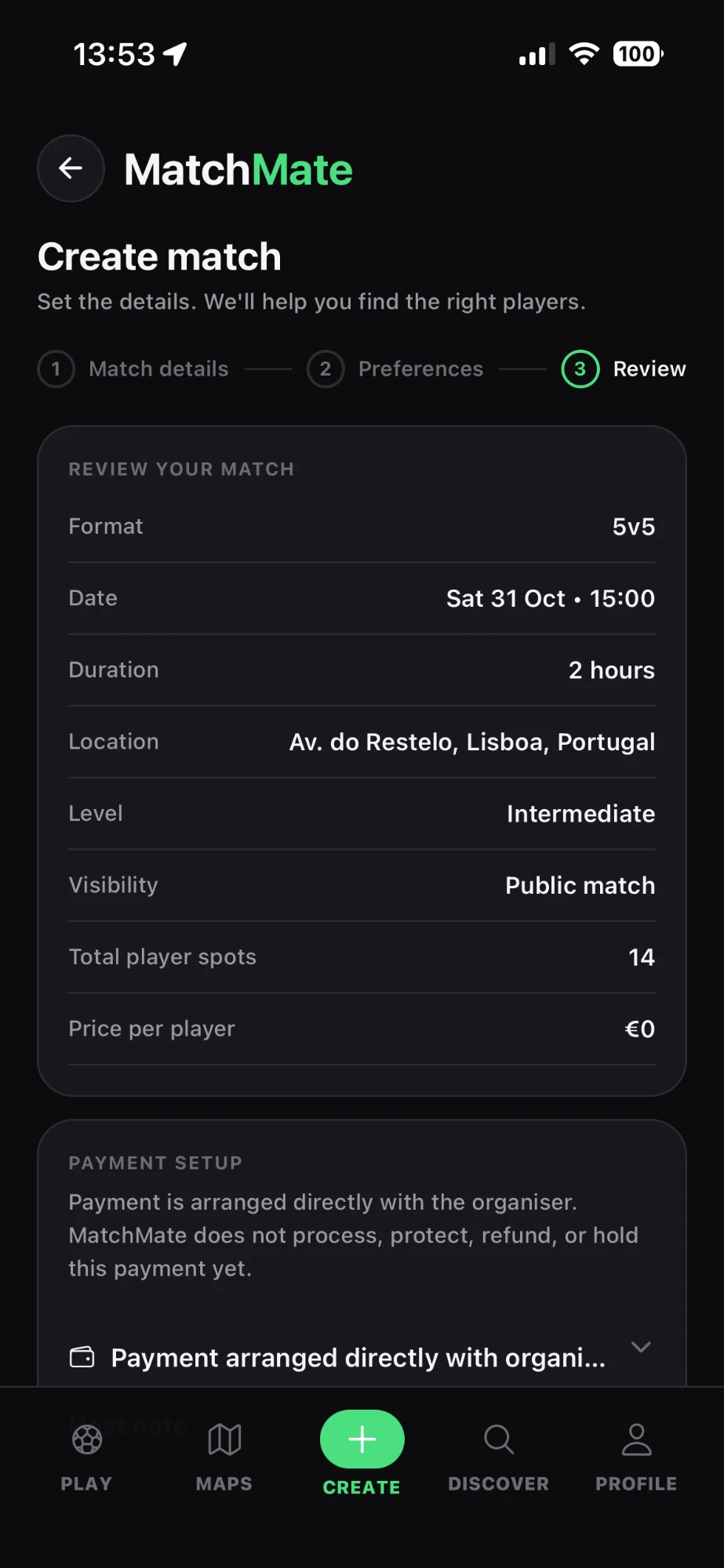
Payment is arranged with the organiser, and the app says so plainly.
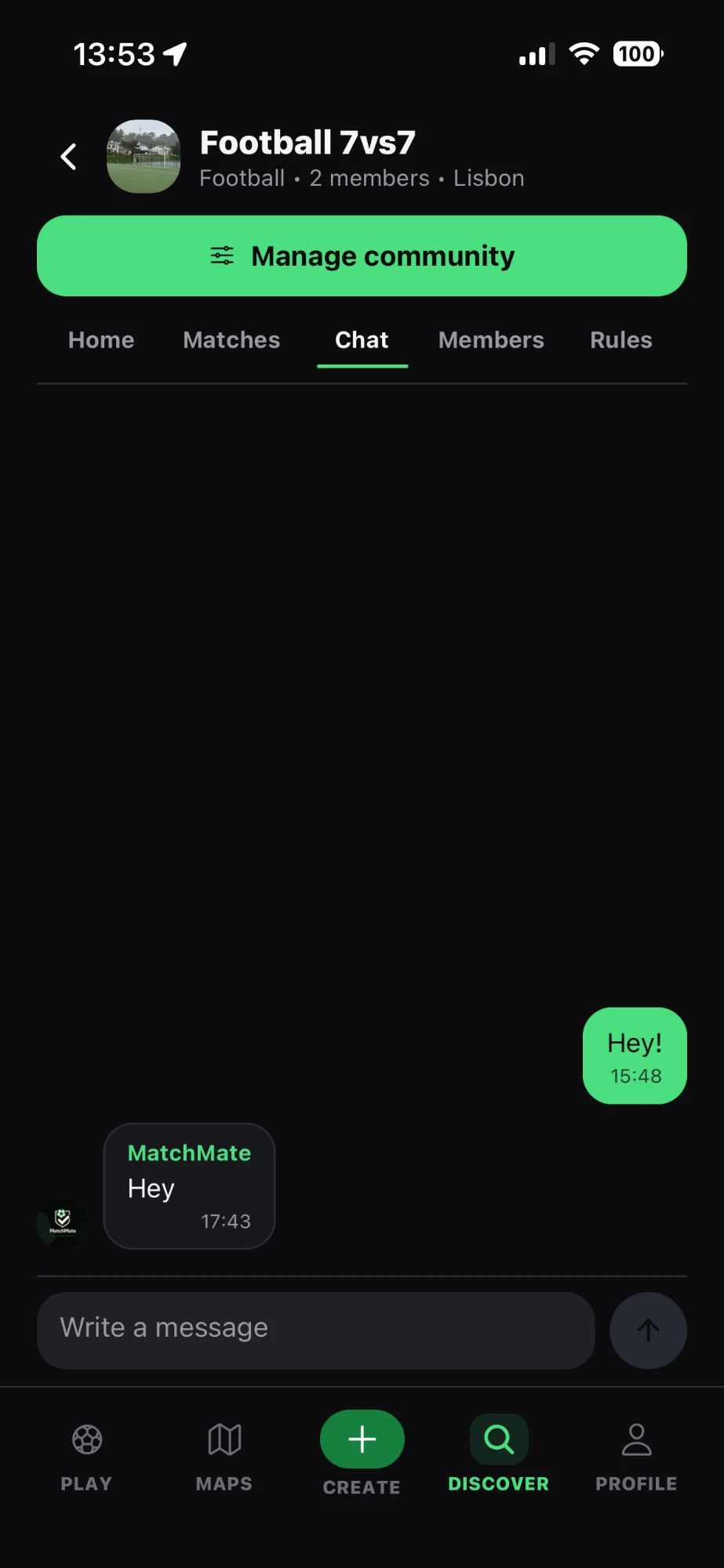
Regular groups get their own matches, chat, members and rules.
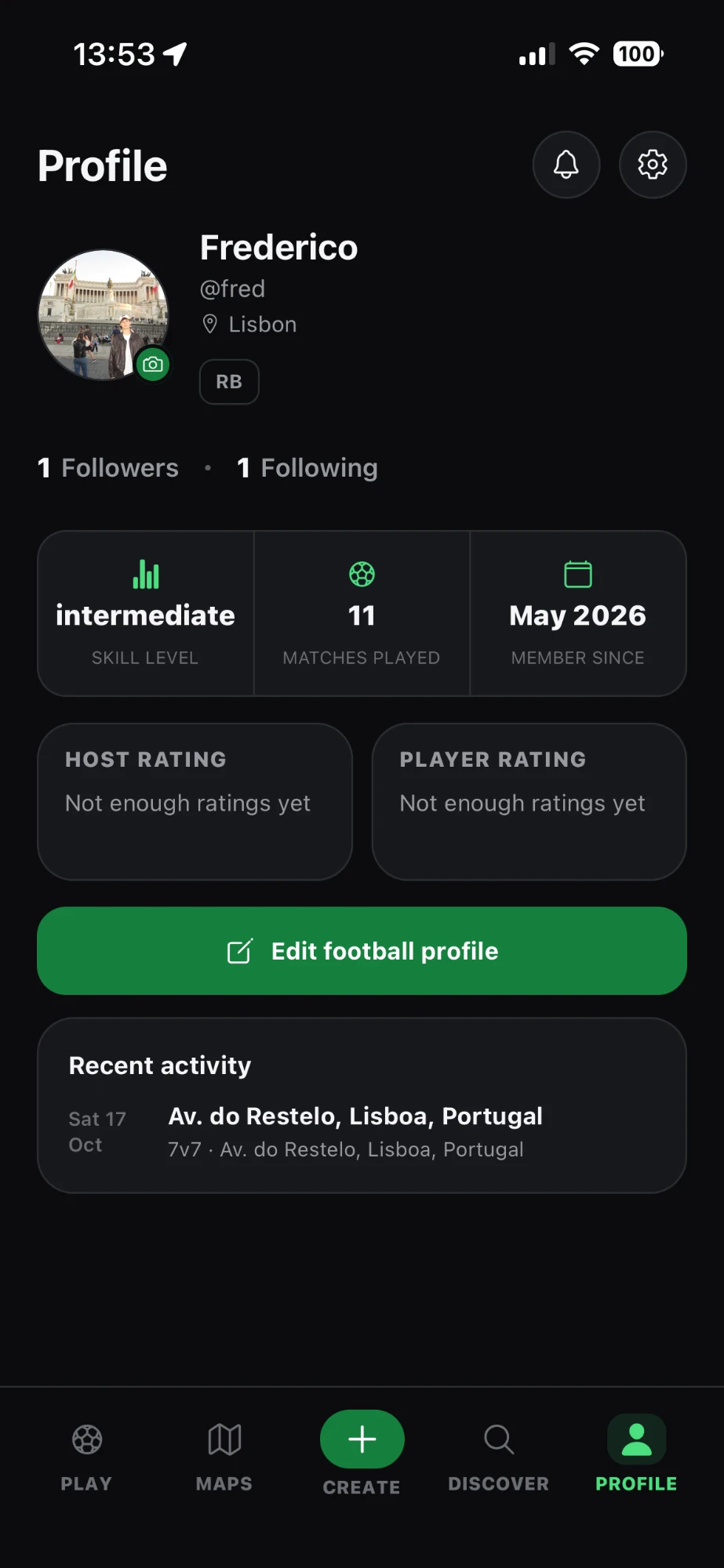
Skill level, matches played, and separate host and player ratings.
Real screens from the iOS build · swipe sideways →
- Discover matches nearby
- Map of games and pitches
- Location used only while the app is open
- Create a match in a few steps
- Invite players with a code
- Waiting list when a game is full
- Organiser tools to manage the list
- Match chat for everyone in the game
- Communities with their own chat and rules
- Host and player ratings
- Report and block
- Private profiles and follow requests
- Profile photos reviewed before they appear
- Delete your account from inside the app
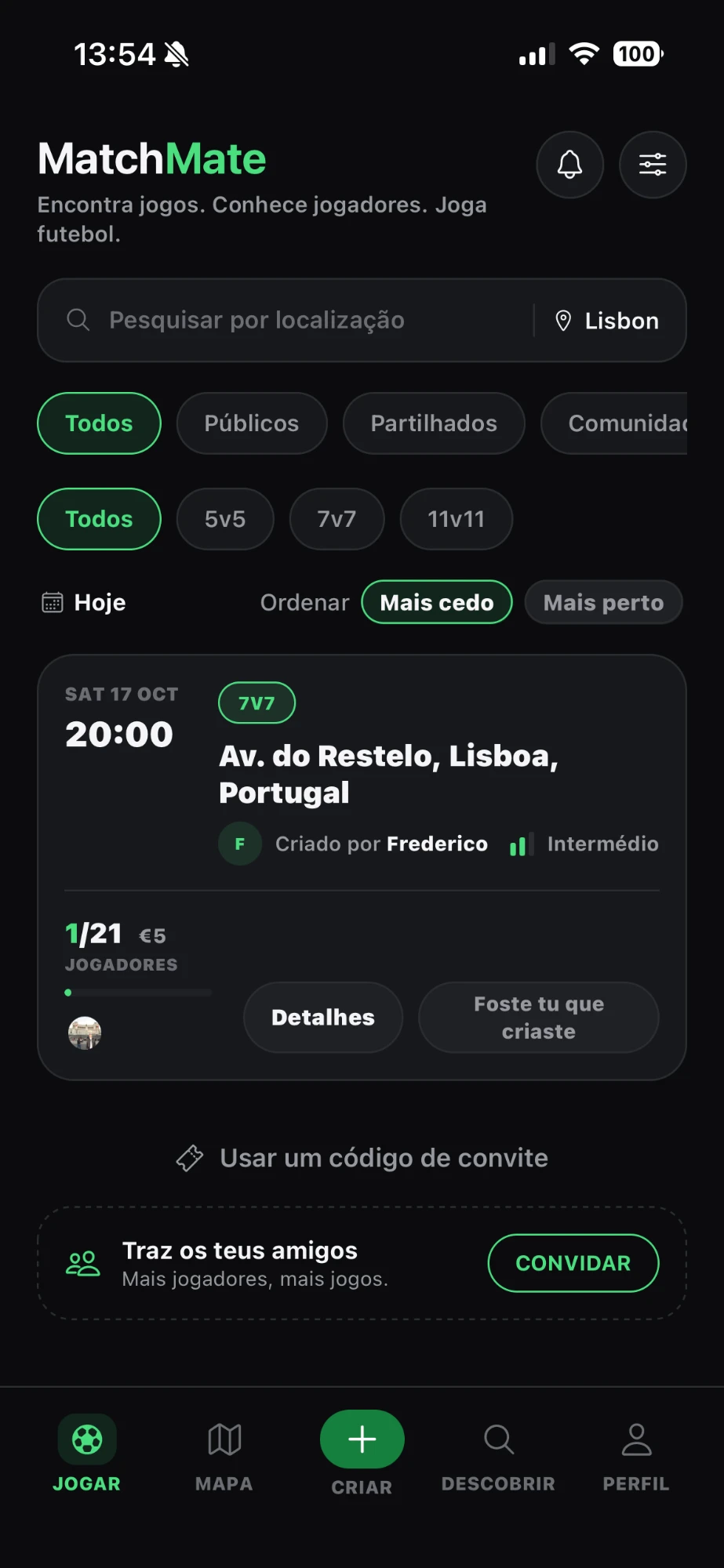
Every screen exists in English and European Portuguese, and people can switch language from the very first screen.
Sign in with Apple or Google · Face ID can lock account settings on the phone · Location used only while the app is open.
From something that looked like an app to something that works like one.
The first version looked finished but wasn't: anyone could type an email and get in, and the data lived on the phone. The project notes from that day say it plainly.
“If a child can type any email and get inside, it is not a real login system.”MatchMate project notes, April 2026
Prototype in Expo Snack
Tested the idea in the browser and on a phone, before installing anything.
A real project
Local development, Git, and build configuration for Apple and Google.
Real accounts and a real backend
Supabase for sign-in, the database and server functions, with database rules that decide who can see and change what.
Security passes
Staged reviews of permissions, notifications and photo storage, each written up before moving on.
Release gates
Strict rules for the last builds before submission, so nothing new slips in at the end.
Technical notes: release gates and automated checks
Full QA on real phones
Created only when no known code blockers remain.
Fixes only
No new features after Build 27.
Check against live rules
Apple and Google requirements re-read at the time, not from memory.
One command runs 18 automated checks before a build
How I work with AI: I built MatchMate with AI coding assistants (ChatGPT, Codex and Claude). I set the direction, made the product and design decisions, reviewed the work and tested it on real devices. The assistants wrote much of the code. I'm responsible for what ships.
Apple asked a fair question.
During review, Apple flagged that sign-up collected a date of birth and a city. MatchMate didn't need either to work. I removed both fields and resubmitted on 21 October 2026. The app is now back in review.
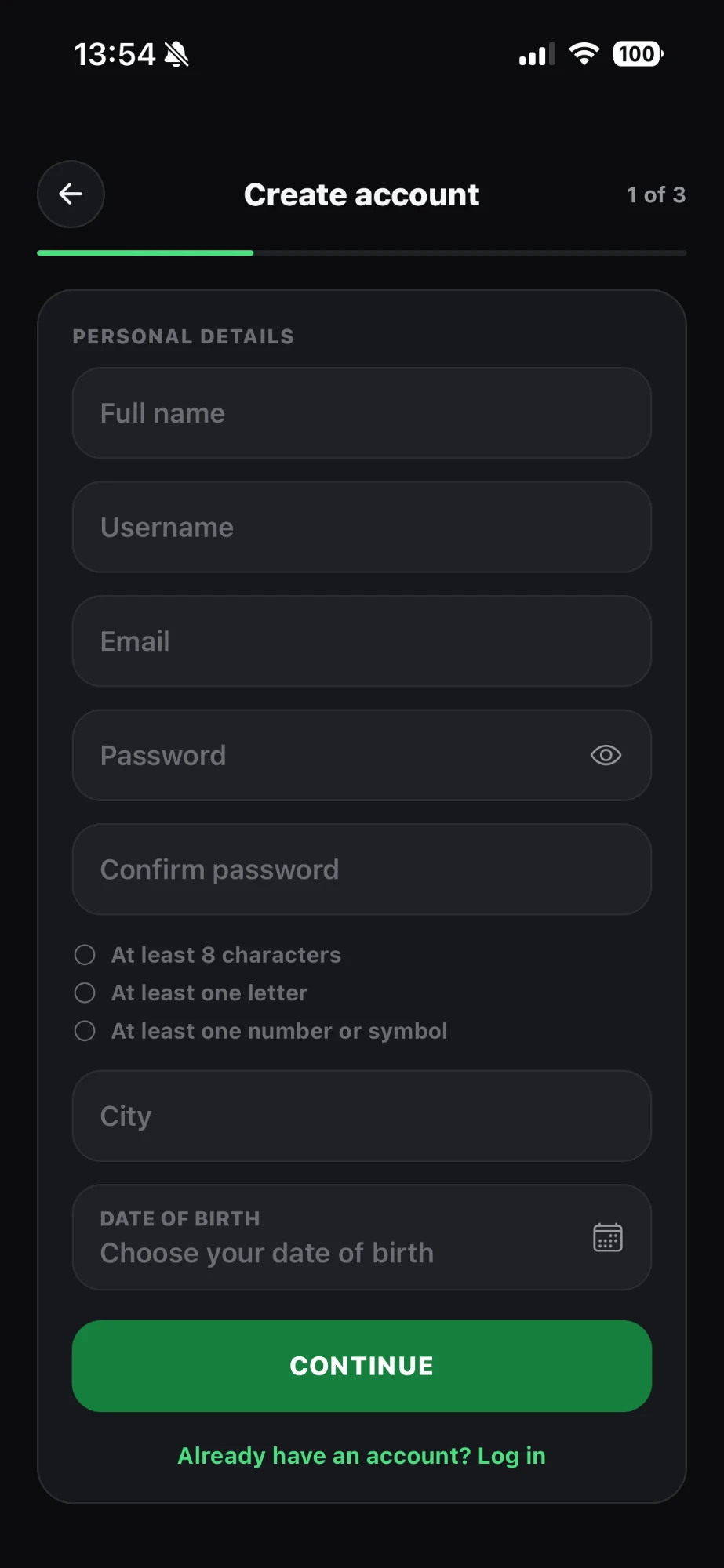 Removed
Removed
Removed
Sign-up · resubmitted
Full nameUsernameEmailPasswordConfirm passwordContinueFields that remain · schematic
The lesson I take to client work: every field on a form is a promise about why you need that data. If there's no good answer, the field goes.
Less planning. More playing.
The site's job is to make the idea click before the app is out: one line on the problem, a pitch that builds a match as you scroll, and a demo of the app you can tap through in the browser.
It also holds the documents Apple and Google ask for: terms, privacy, safety, contact and a public account-deletion page, in English and Portuguese. Those legal pages are generated from the same source the app displays, so the two can never say different things. The design went through several rounds, including early experiments in Wix, before moving to Cloudflare hosting.
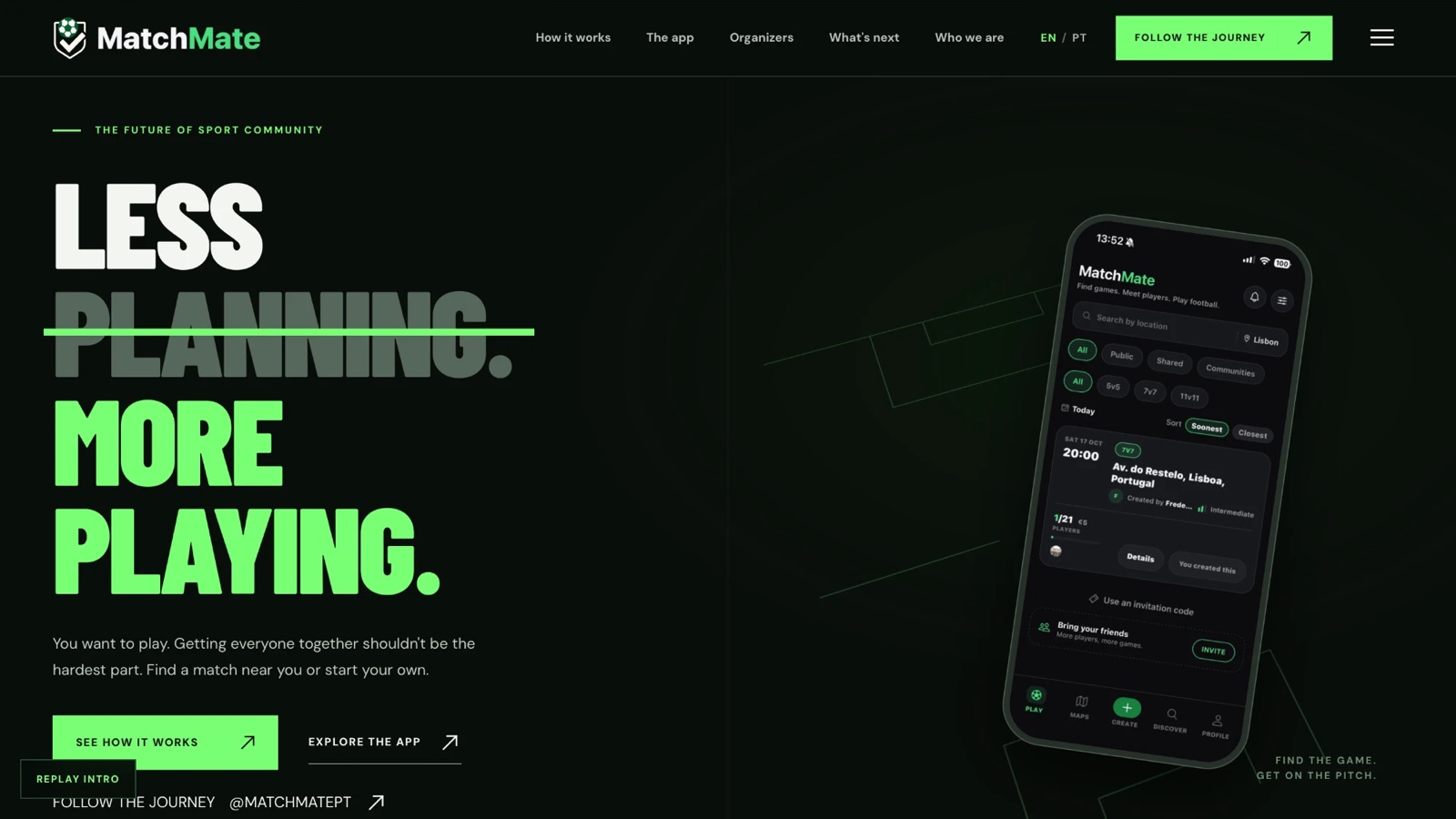
The promise in four words, next to the real app.
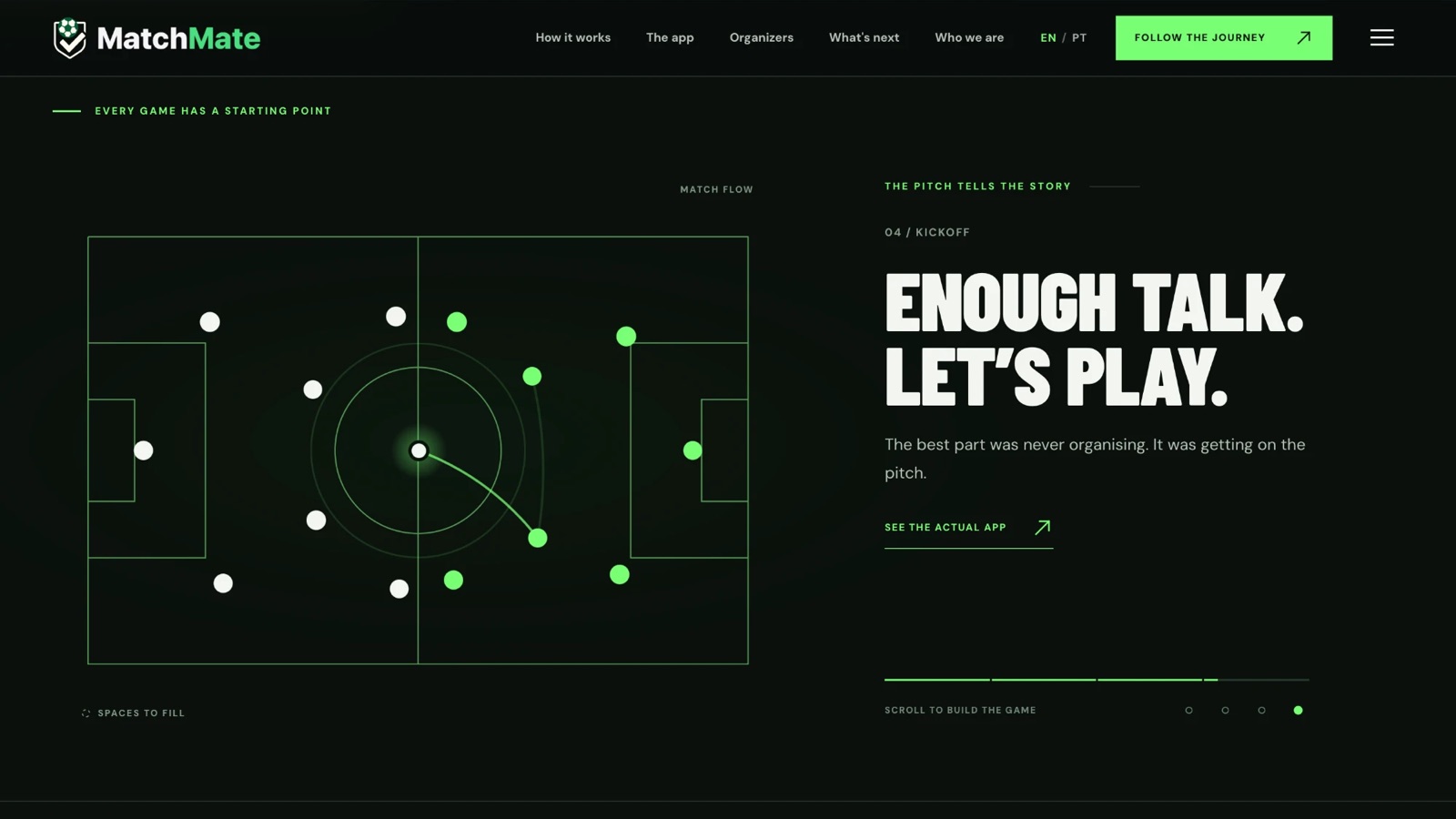
Scroll to build the game: players fill an animated pitch, step by step, up to kickoff.
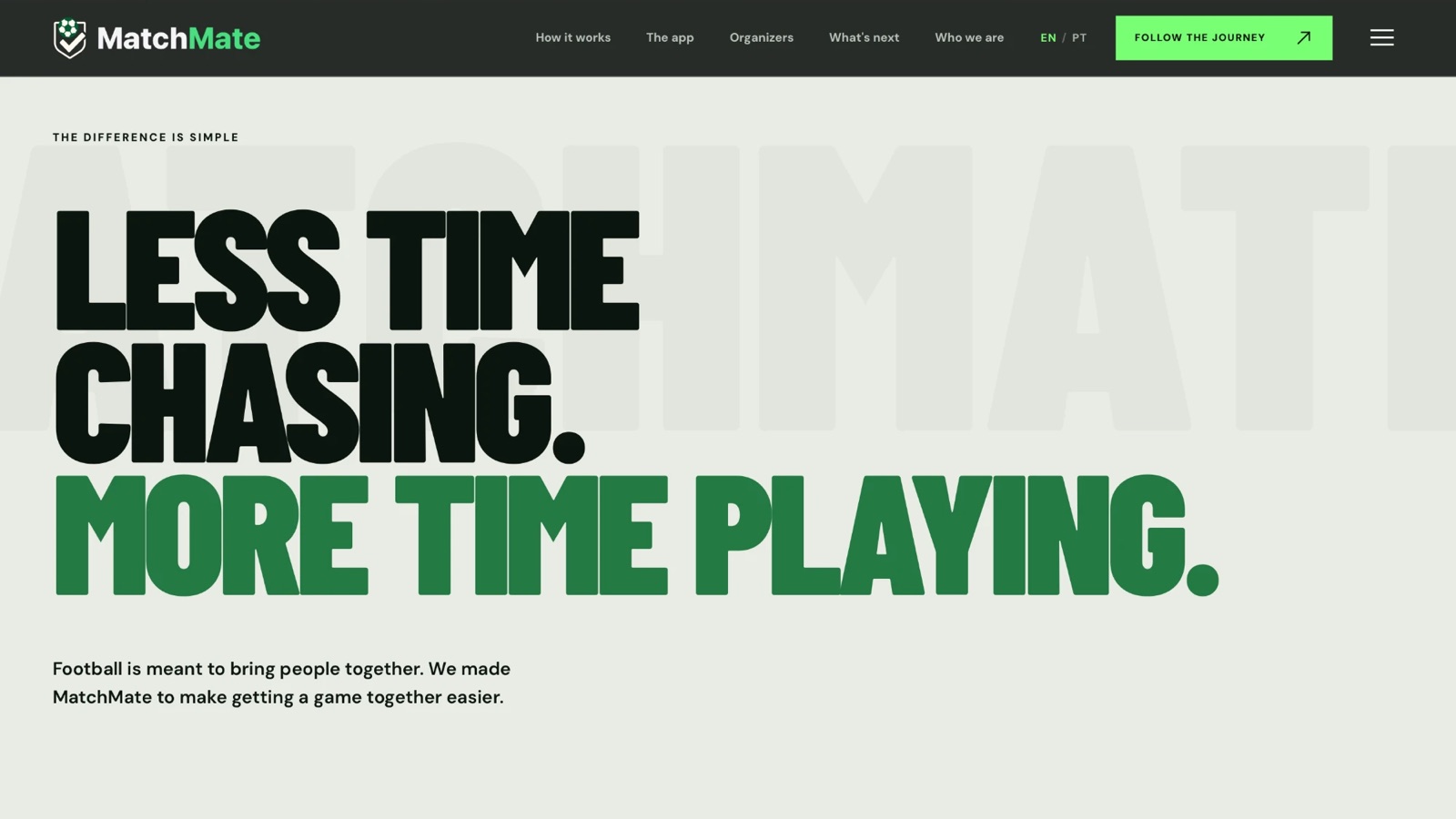
A light, poster-like break that states the benefit plainly.
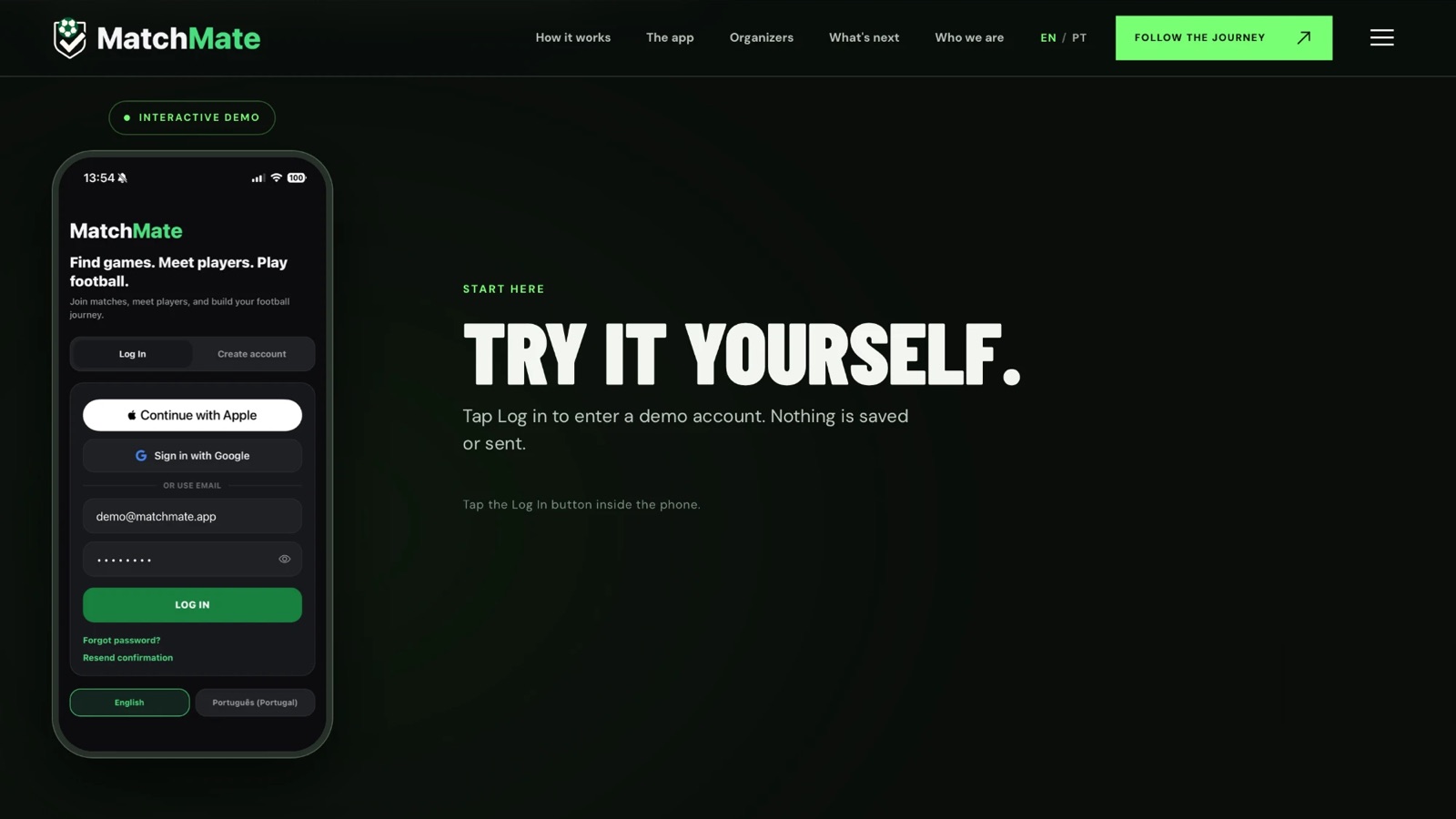
An in-browser demo account. Nothing to install, nothing saved or sent.
Ten Reels, over 200,000 views, 960 followers before launch.
I made MatchMate's Instagram in Canva: short Reels in Portuguese and English that mix humour, pitch-side footage and the familiar mess of organising a game in group chats. Every Reel was boosted with Instagram's built-in promotion, and the account grew while the app was still marked "coming soon".
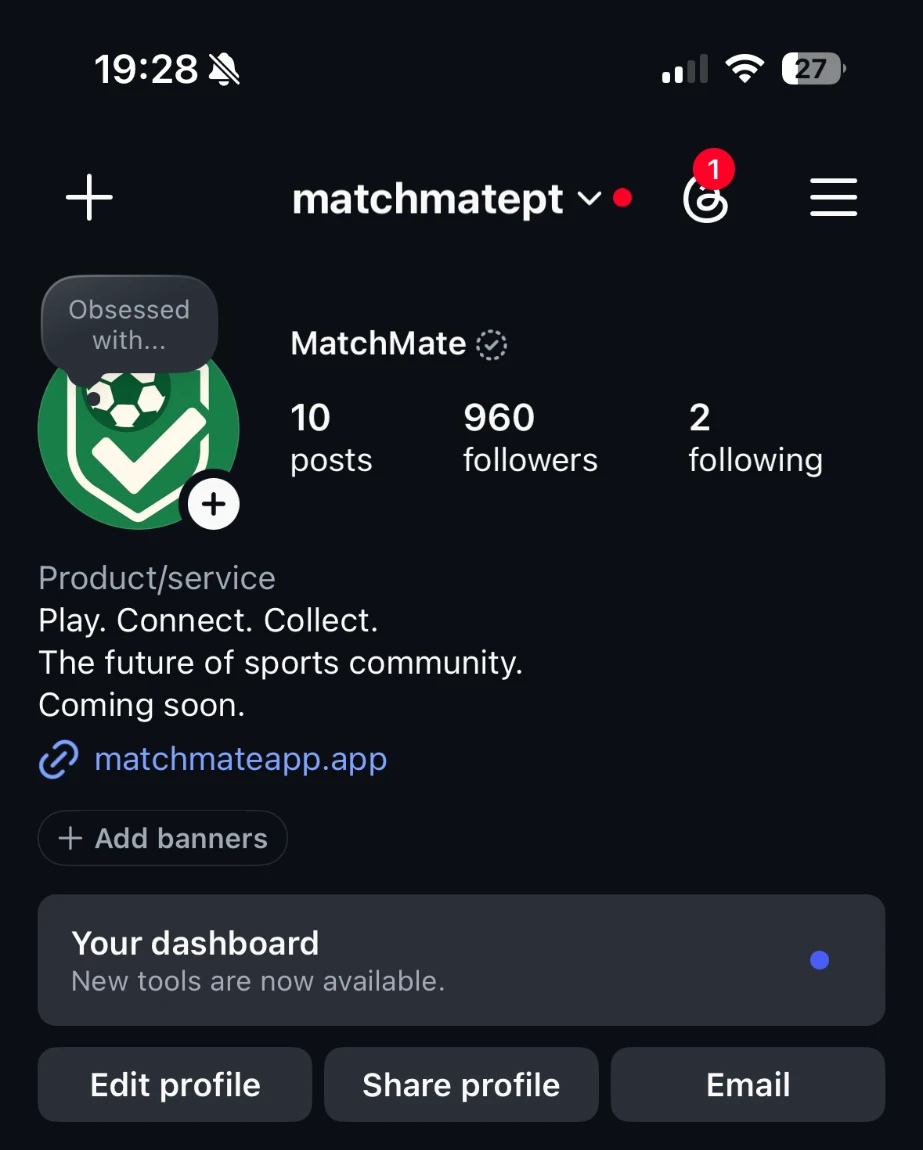
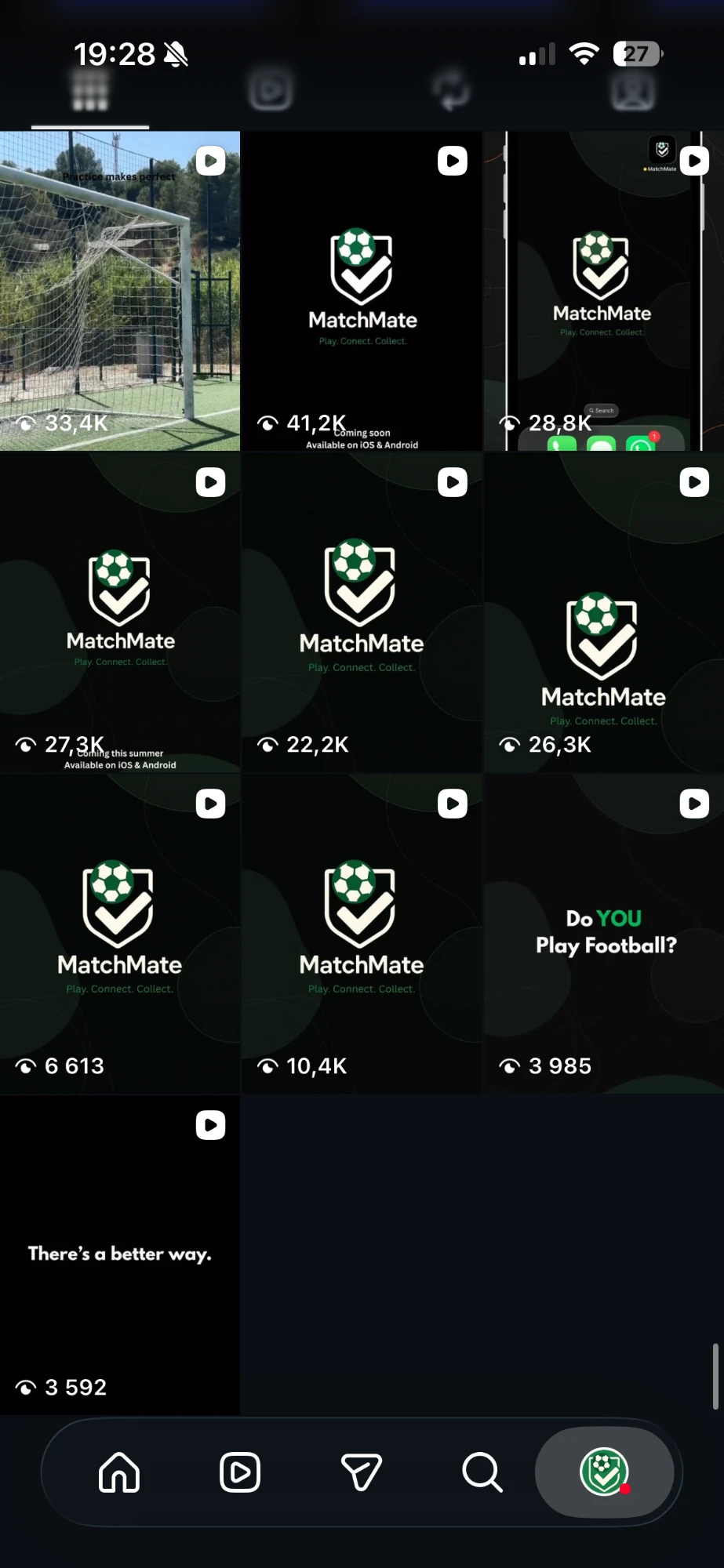
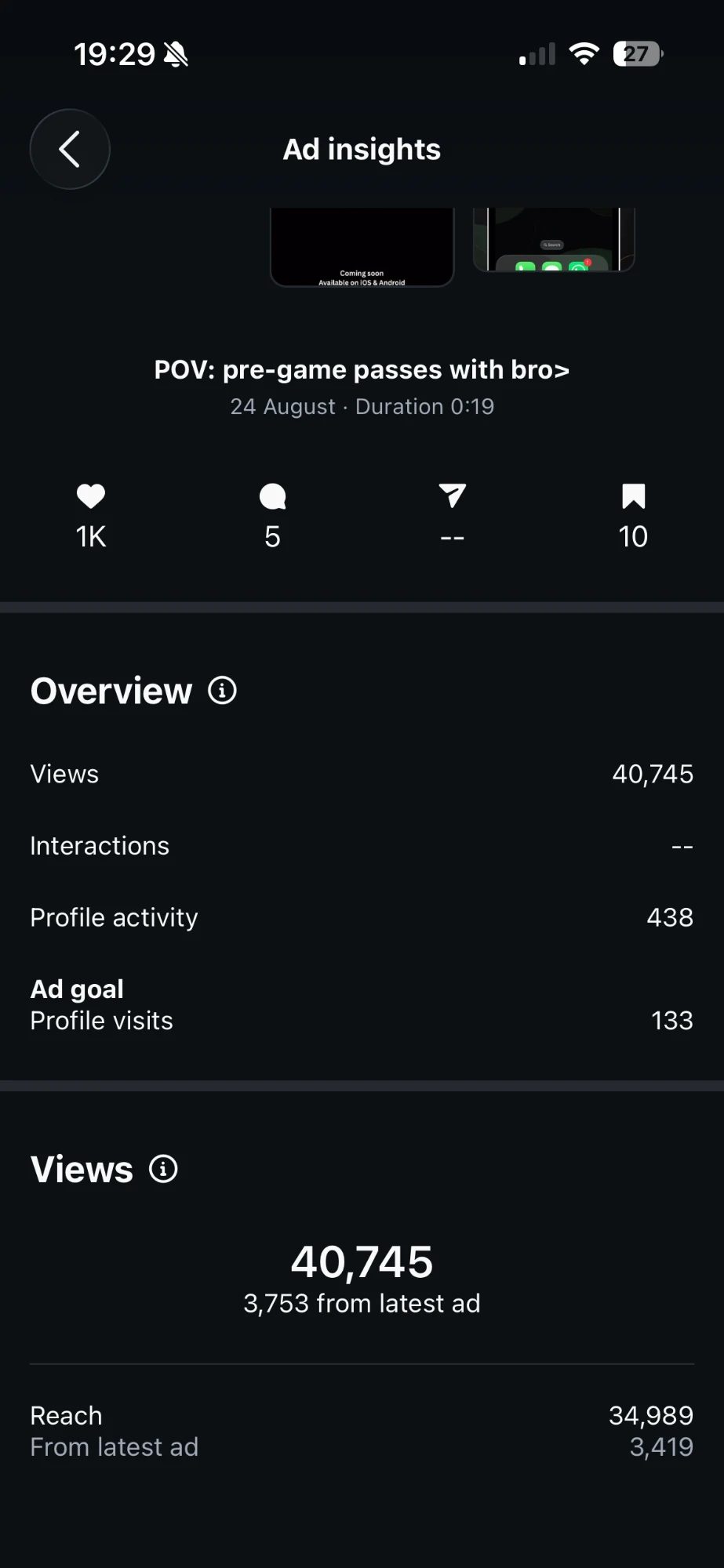
“POV: pre-game passes with bro”
19 seconds, posted 24 August.
- Views
- 40,745
- Accounts reached
- 34,989
- Likes
- 1,001
- Follows
- 438
- Latest ad spend
- €5.93
- Profile visits from it
- 133
- Cost per visit
- €0.04
Figures from Instagram Insights (one-year view), captured on 27 October 2026. Spend shown is for the latest promotion of the top Reel only.
Lessons I now bring to every project.
Looking finished isn't being finished.
A polished screen can still have fake login or no real data behind it. I check the parts you can't see.
Test and live never touch.
Staging builds point at test resources only, so a test can't change real data.
Collect only what you need.
Every extra field is a privacy question you'll have to answer later, to users and to reviewers.
Desktop is not a phone.
Scrolling, safe areas and notifications behave differently on a real iPhone. I test there.